
Here is the full list of features in the November 2016 Folio release:
Search
Folio now has a search feature that goes across a range of defined fields to find matching Folios, Actions, Checklists, Users, Entities/Contacts and Documents:

For more information on using Folio Search click here.
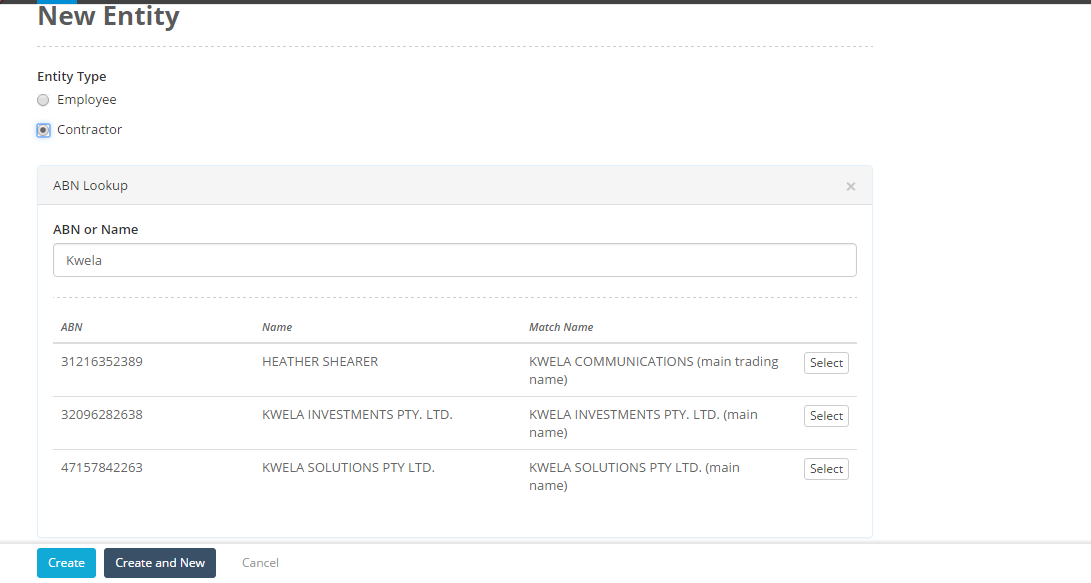
ABN Lookup
Folio now provides an ABN Lookup feature that integrates with the Australian Business Register. This ensures that you record the correct legal names and ABNs of all your vendors and contractors.
You will need to enable the ABN lookup feature, click here for more information on how to do this.
Contract with more than one entity
If you have a contract with more than one party, Folio now supports multiple entities on a single contract.

To learn more about this feature click here.
Credential Improvements
We have made several changes to uploading of credentials. The first of these is support for partial uploading. Users do not have to submit all their requested credentials at once, they can submit what they have on hand first and return later to submit the rest.
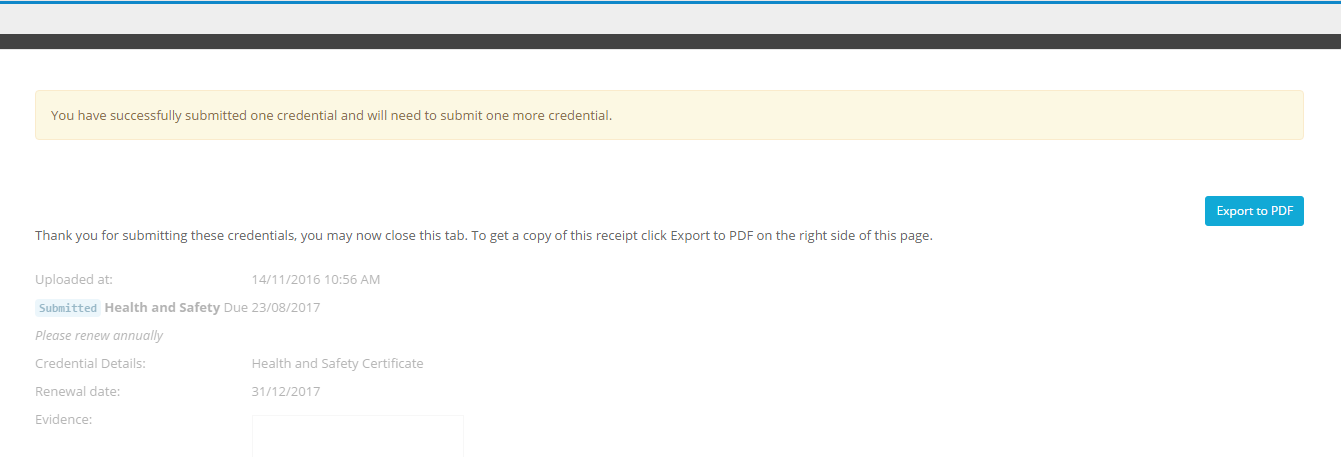
We have also added a receipt page after credentials are submitted that the user can export to a pdf:
Lastly we have changed the layout of the submission page to make things easier. See these links for more information:
How does a Service Provider upload a credential?
Can credentials only be submitted in part or do they all have to be uploaded?
Retired Action Assignments
You can now see what action assignments linked to a Folio have been retired from the Actions tab in the Folio itself.:

To Do List Improvements
Overflowing Folio To Do List, To Do List Settings is an improvement that will help you manage your To Dos better. You can now filter the To Do List for Action Statuses, Checklist & Checklist Review Statuses. Simply drill down to just overdue actions, checklists and checklist reviews for example.

For more information on how to use this feature click here.
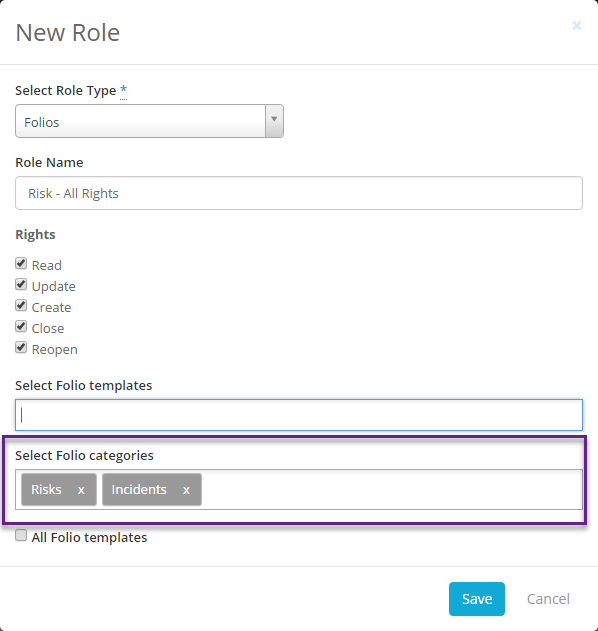
Folio Category based access rights.
When setting up Folio access roles for a user you can now base them around the Folio Category instead of the individual templates:
Click here for more information.
Bulk management of Access Rights
We have made some improvements to make access rights management easier.
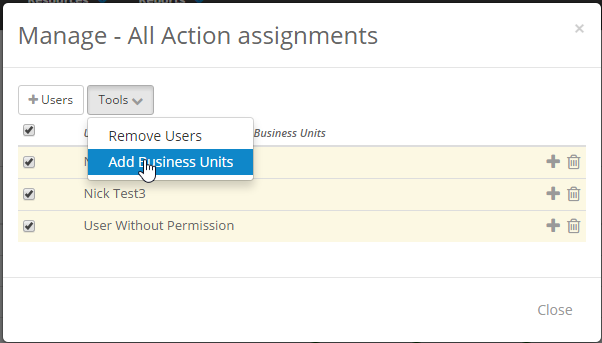
Users can be removed from roles in bulk
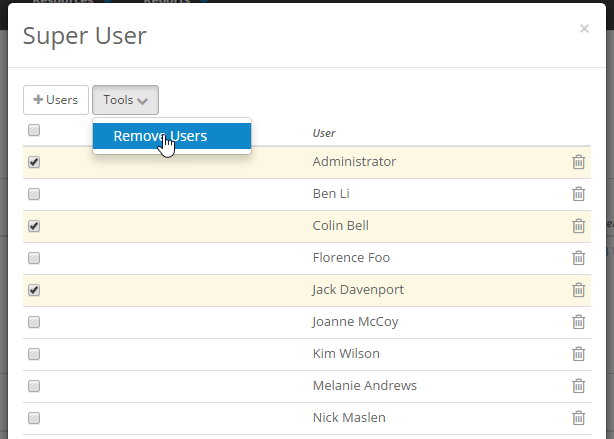
and Business Units can now be added to users in Access Roles in bulk too.
New Business Unit based Rights
Access Rights have now been enhanced, access can be provided to a User's own business unit, own business units and its subs, all business units and/or selected business units.
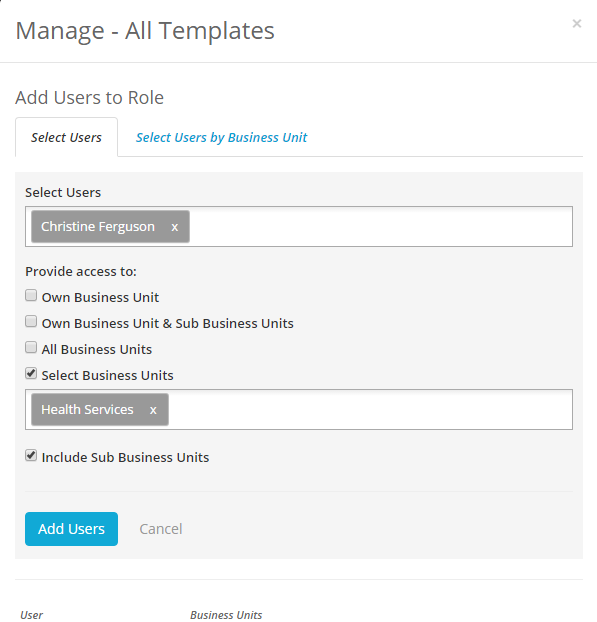
For more information on these changes to setting up access rights use these links:
How do I remove a user from a Role?
Can I add users to a role with access to only selected business units?
Making it easier to assign actions and checklists to manage users in one go
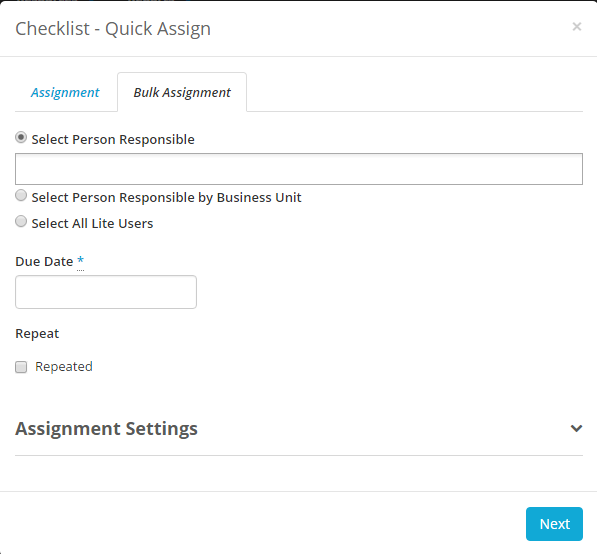
We have made some improvements to the process of bulk assigning actions and checklists. I
You have three different options for adding users to be assigned:
- Selecting users normally, this can include Lite Users.
- Selecting users by business unit. Selecting a business unit will add all users in that business unit to the bulk assignment.
- Select all Lite Users.
Use these links for more information:
How do I bulk assign one action to multiple users?
How do I assign one Checklist to multiple users?
Bulk Assign Checklist Questions as Optional or Mandatory
Last release we added the option to make checklist questions optional or mandatory, we have now added the ability to do this in bulk:
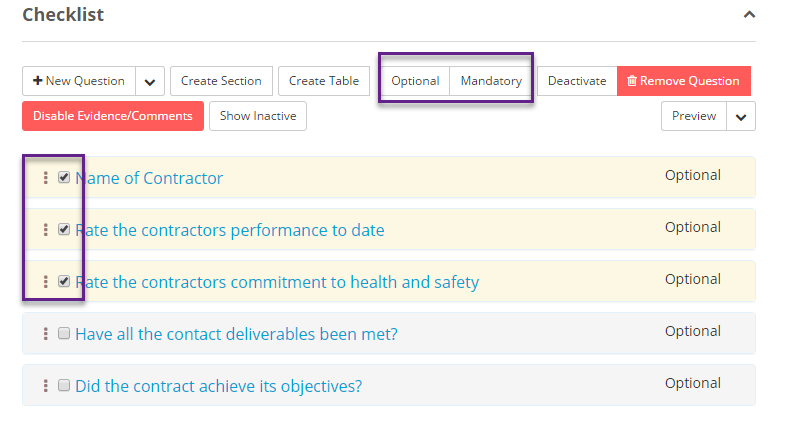
Click here for more information.
Checklist Answer Page Changes
When answering a checklist the user now sees the checklist's description, as well as a section containing any Reference Documents that checklist has attached to it: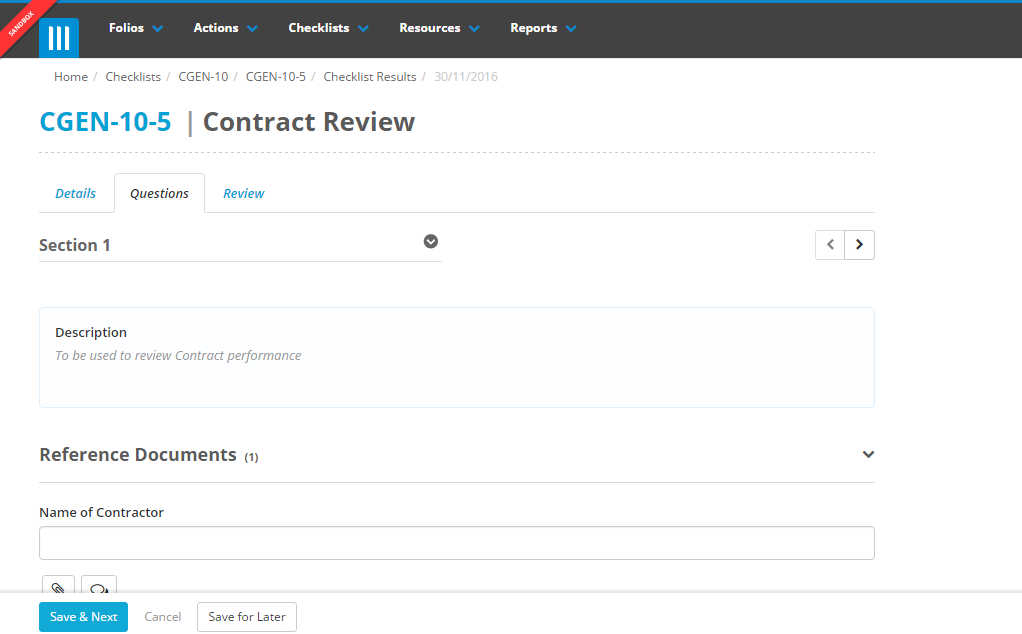
Replace Person Responsible Changes
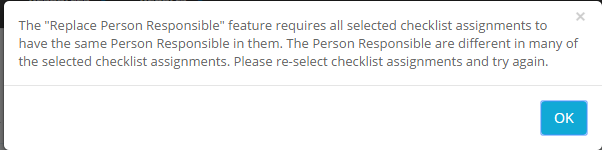
The replace person responsible feature will now display a warning message if you try to use on multiple items that have a different person responsible:
Improvements to Submitting Contracts for Approval
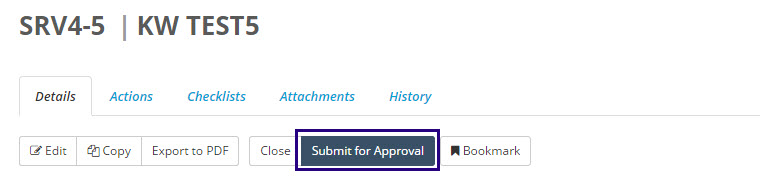
We have made some improvements to how a user submits a contract for approval to move to the next stage, with the addition of a button on the Details tab of the folio that will show what approvals need to be made and by who:

For more information on this process click here.
Risk Definitions in Risk Reports
You can now include your Organisations risk definitions in risk reports and heat maps that you make. For instructions on how to do this click here.
User Reports
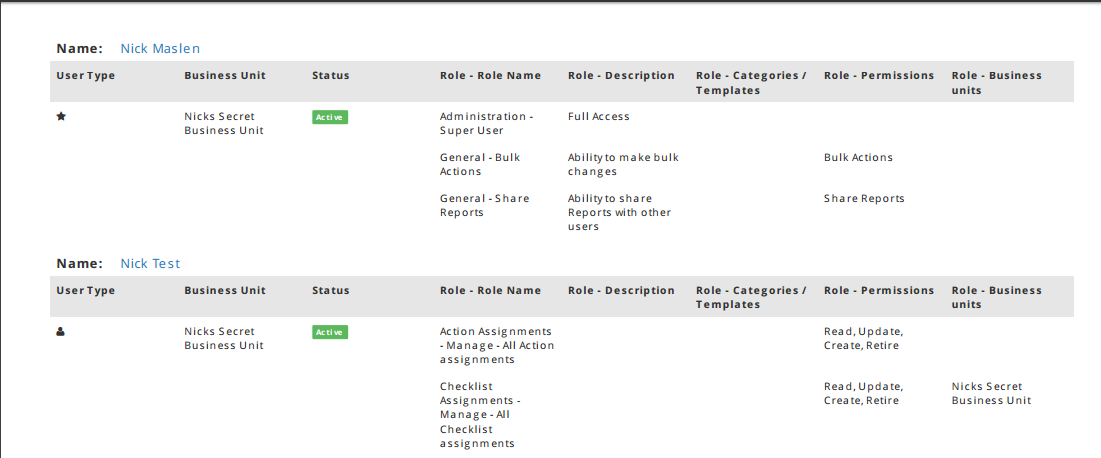
We have added a User Report that includes information on your users as well as their access rights for Folio:
For information on running this report click here.
Include Created At Field in Folio Reports
We have added a Created At field to Folio Reports so you can report on Folios within a certain timeframe.
Dependent Fields based on Action Category
You can now add dependent fields to an action based on the action category, so for example if the action is a legislative action, you could then see a "Related legislation" or "legislative source" field.
For instructions on how to do this click here.