
You are able to import indicator checklist questions into folio, including the score and thresholds.
Please Note : You are able to import both indicator and non indicator questions with this import.
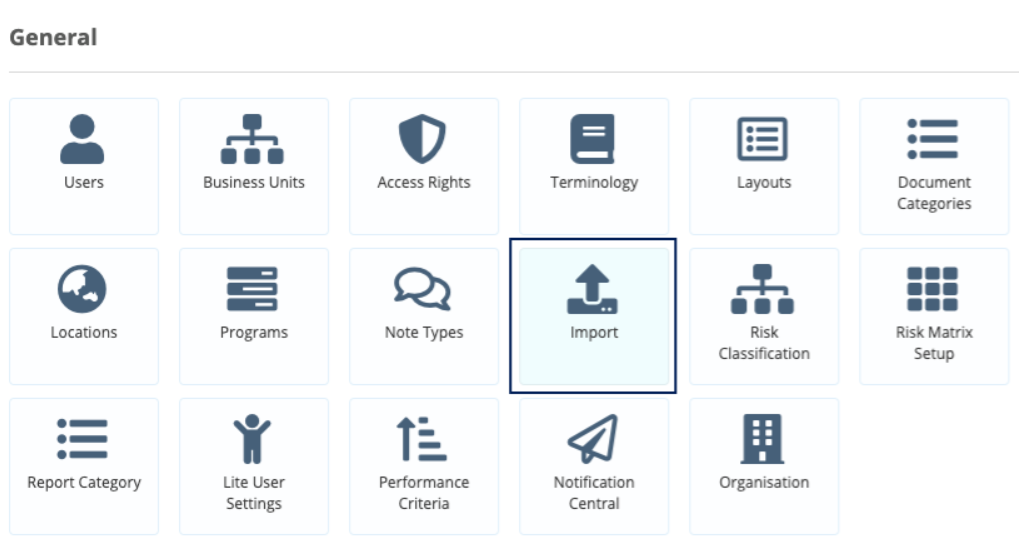
- Click on the admin gear wheel and then click on Import.
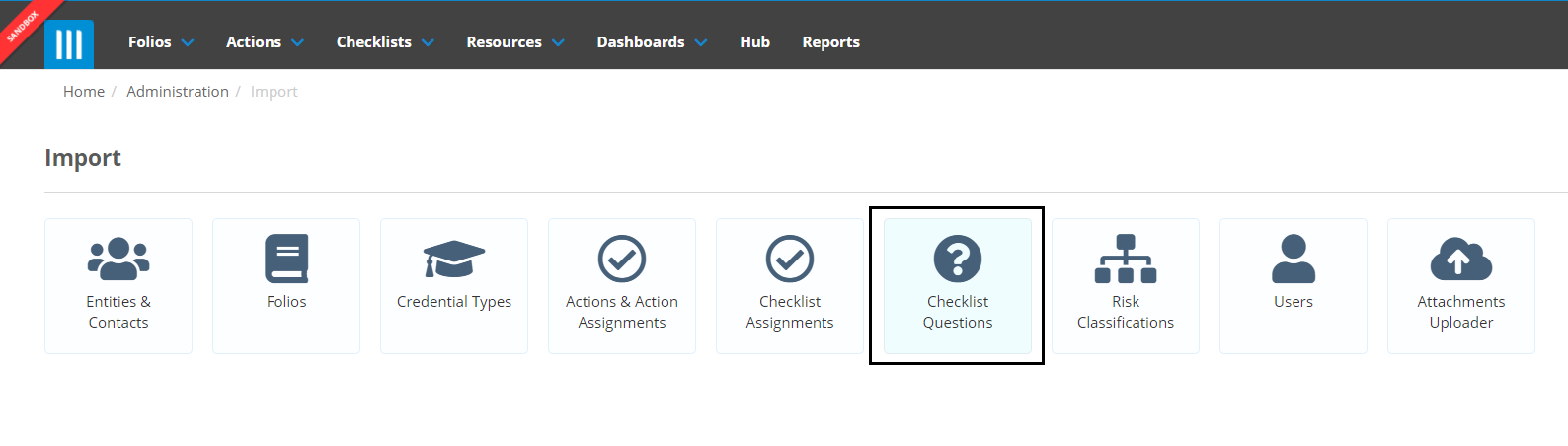
- Click on Checklist Questions
- Click on Download Import Template and click Indicator Checklist Import Template.

- Open the csv file.
The Indicator Checklist Import template is identical to the Checklist Import Template but has additional columns that let you set up the indicator scores and thresholds.
The additional fields are:
- Score
- Max Score
- Threshold-Red
- Threshold-Red-Comments Required
- Threshold-Amber-Comments Required
- Threshold-Green
- Threshold-Green-Comments Required
The rules for these fields are here
- Fill in the spreadsheet, putting each question onto its own line and filling in the required details, and save when you are finished.
Example Spreadsheet


- Back in Folio Click on Upload Data
- Folio will ask you to select the checklist you want to import the questions on to, you can search for the one you want in the text box and once you’ve found the one click on it.
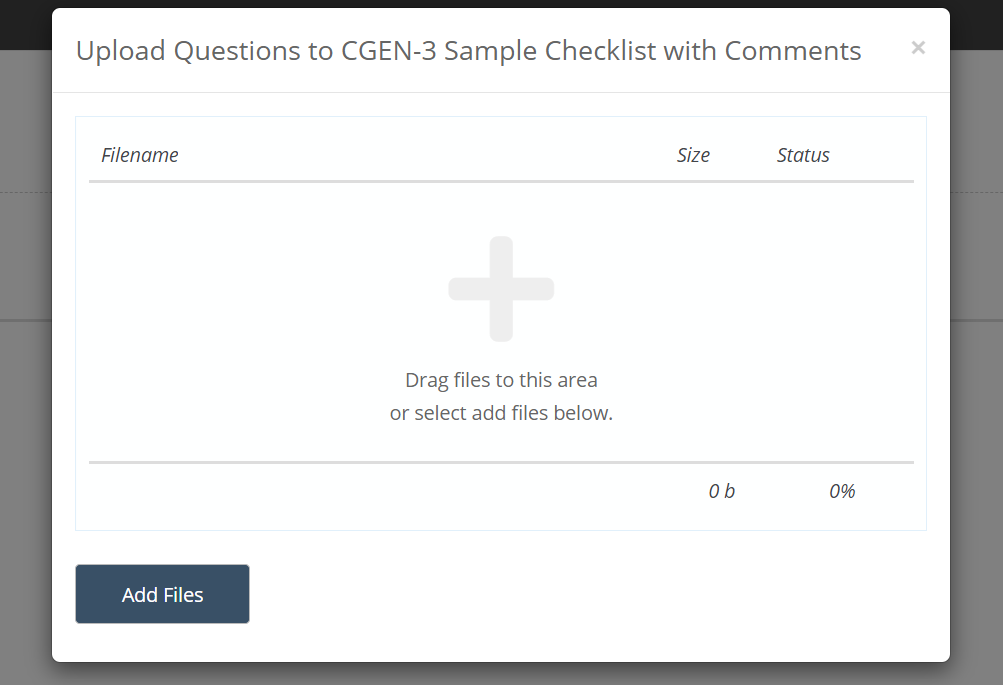
- Drag the CSV File into the area, or click on Add Files and select the csv file.
- Once Folio has validated your data you will be able to review the import before it is run. If there are any errors they will appear here and you can fix them by clicking on the value and changing it. Alternatively you can abort the import and fix them in Excel and then re-import the new fixed file.
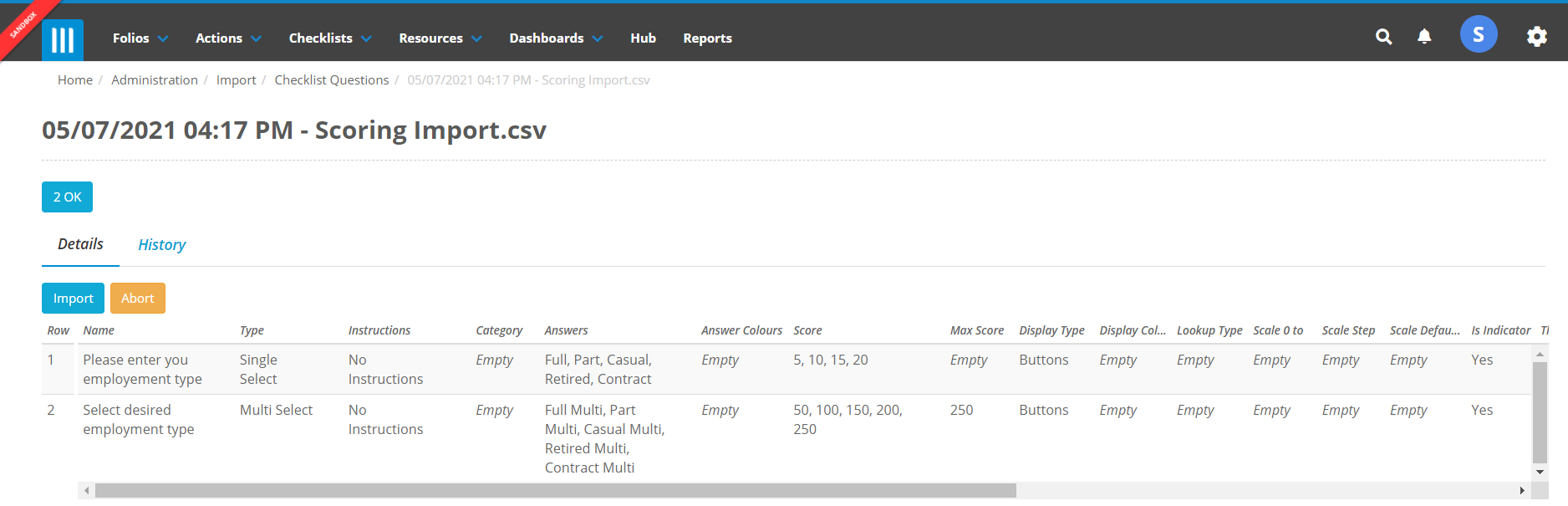
- If you are ok with the data Click Import and the new Questions will be created on the Checklist.