You are able to attach reference documents to a Checklist- an example would be to attach Company Policies to Audit Checklist as reference material for an auditor.
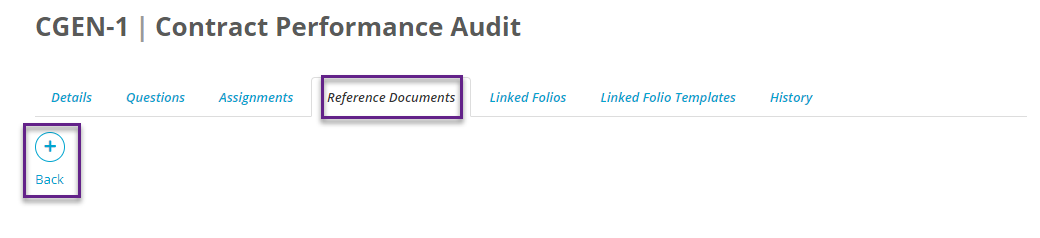
To do this, you click on Checklists and then the Checklist key to be taken into the Details section of the selected Checklist. You then click on Reference Documents which is the 4th tab from the left.
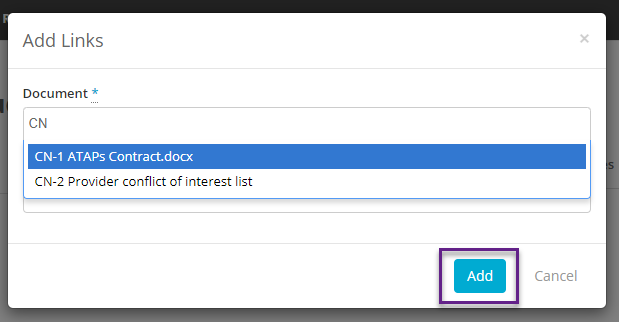
To add a Reference Document click on the large + icon and then select a document to which you wish to link to. Please note this needs to be a document that has already been uploaded in the Resources - Documents section. It is possible to link any number of Reference documents to one Checklist.