
Checklists are able to support tables of repeating questions. To add a table to your checklist, first select what questions you want to make the table out of by ticking the check box next to each question.
After you've selected what questions are to be in the table a Create Table button will appear at the top of the screen.
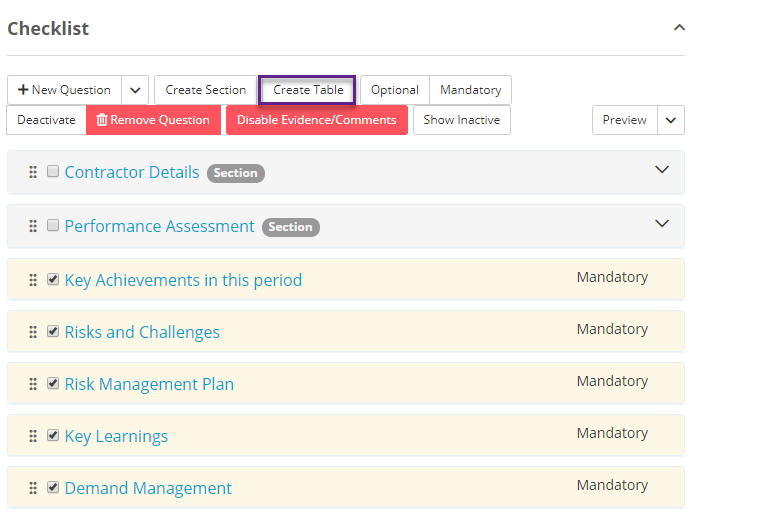
Once you click the Create Table button a window will appear that lets you customise the table you want to make.
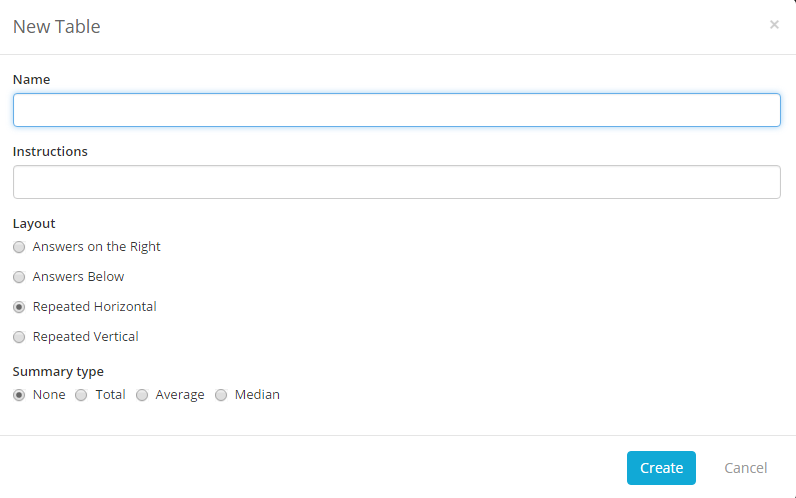
You need to give your table a name, and you may give some instructions to the users who will be filling the table out. Next you can choose a layout, and a summary to be given if the table uses numeric values.
Once you are done select create and the table will be made.