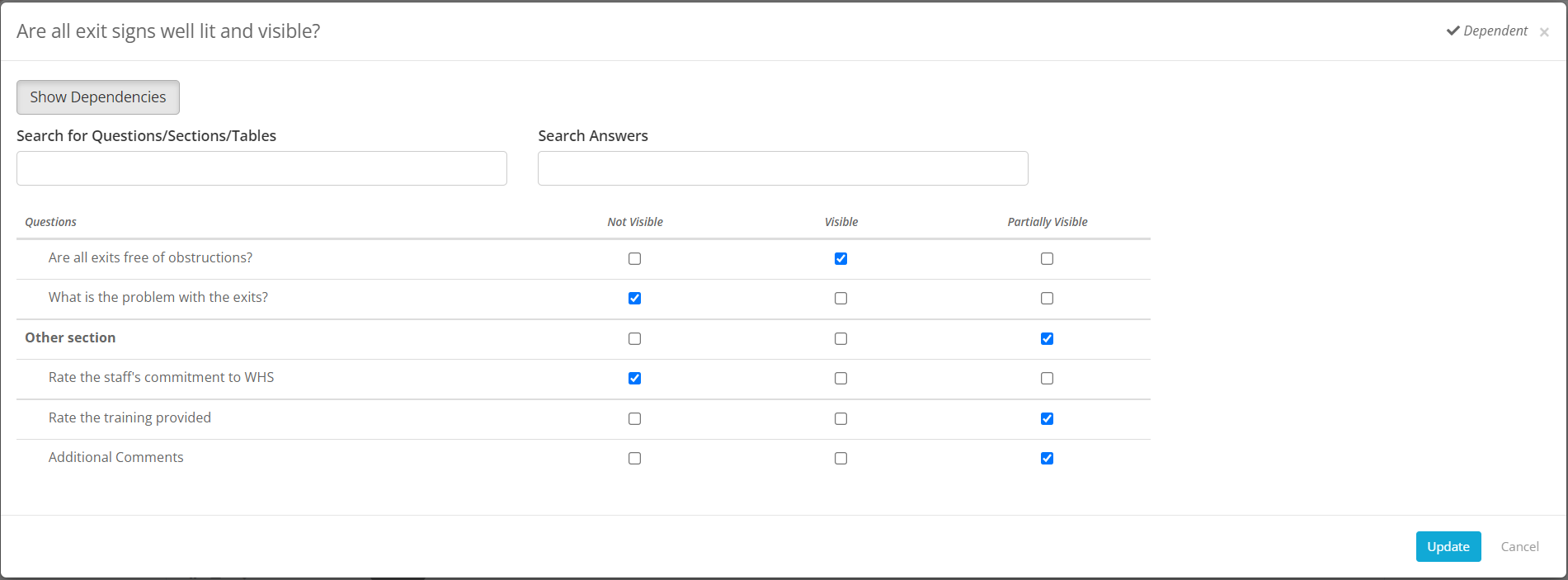
Dependent questions are questions that appear on a checklist based on the answers that a user has provided to an earlier question. You will need to do the following to set-up dependant questions:
- The source question or the question the other questions are dependent on has to be a single, a multi select or a hierarchy question type.
- Go to the Questions tab in the Checklist that you want to create the dependent questions on and first add all the questions.
- On every single & multi select question card of the Show Questions Screen you will see a Dependent button with an arrow pointing downwards.

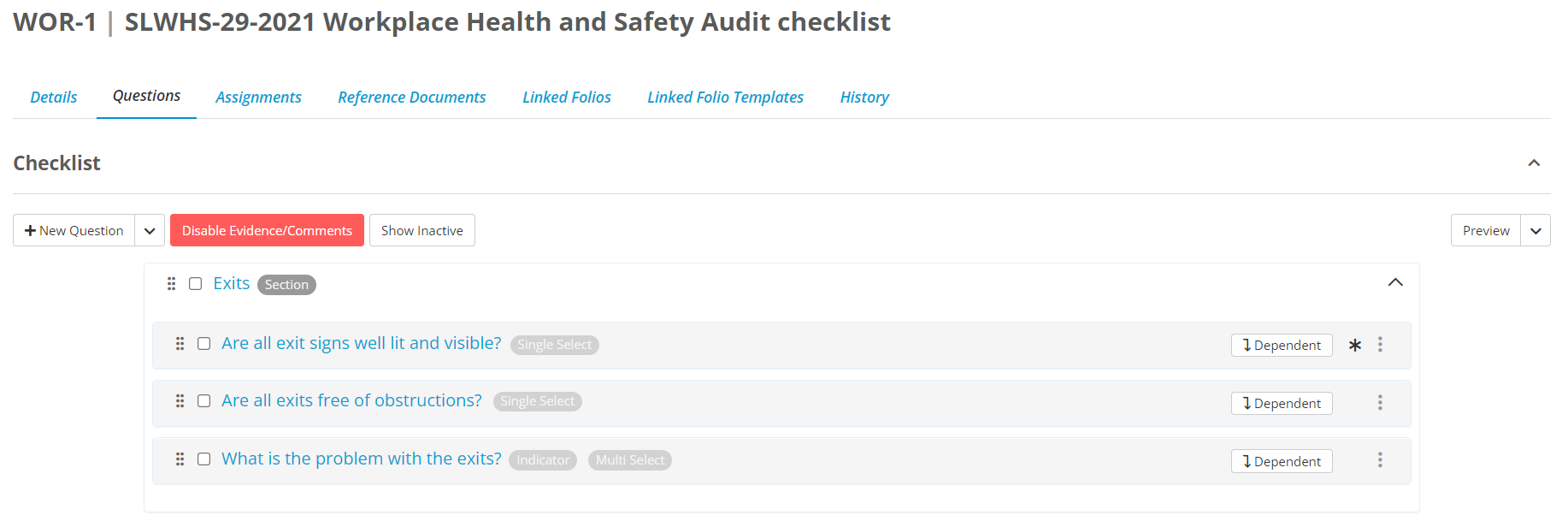
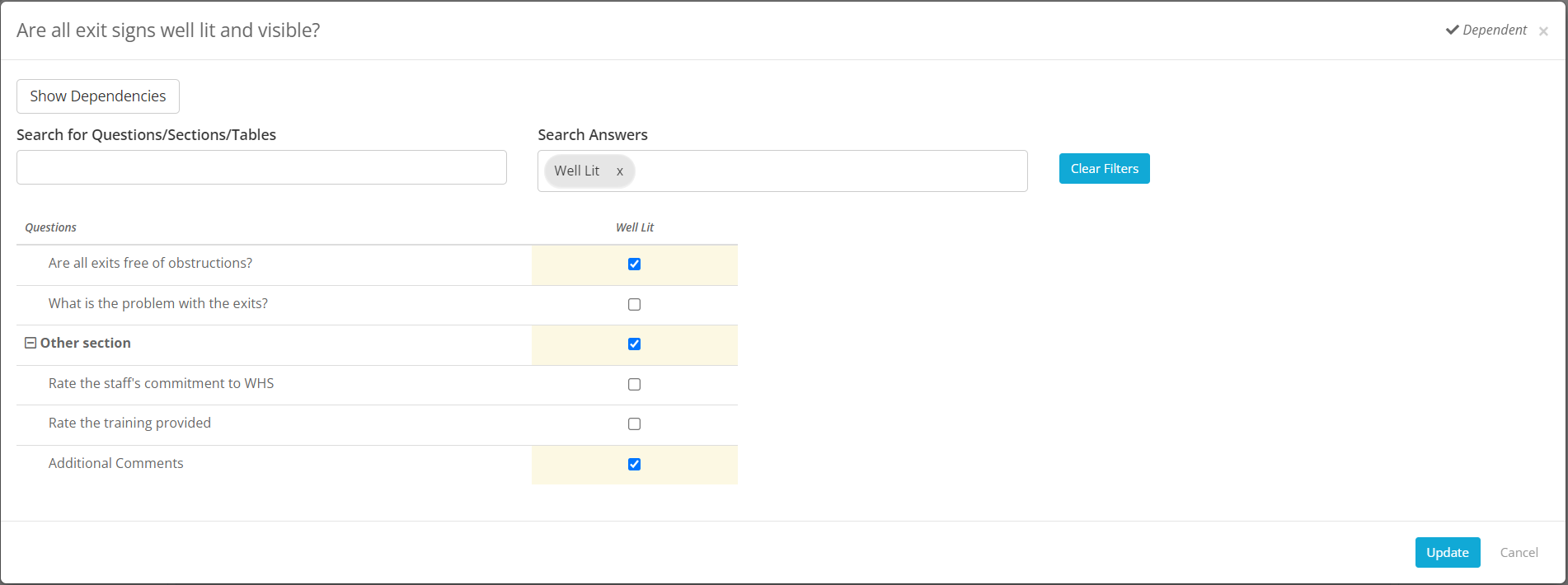
- On clicking the Dependent button you will see a matrix with all the answers that you can set up dependencies for across the top and all the sections, tables and questions that can be made dependent in the first column.

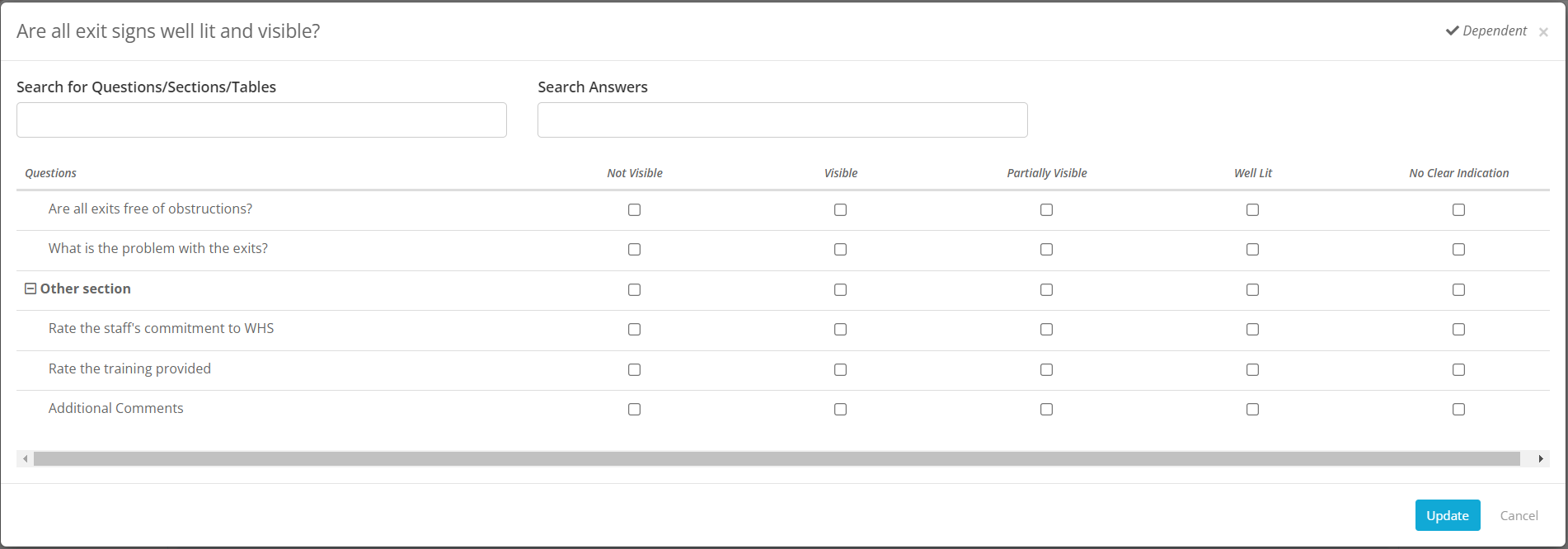
- The dependency matrix allows you to set up dependencies for multiple answers in one go. To make an entire section, a table or a question dependent on an answer you can click on the appropriate checkbox under that answer, you may select more. Once you are done, click on the Update button to apply the dependencies :

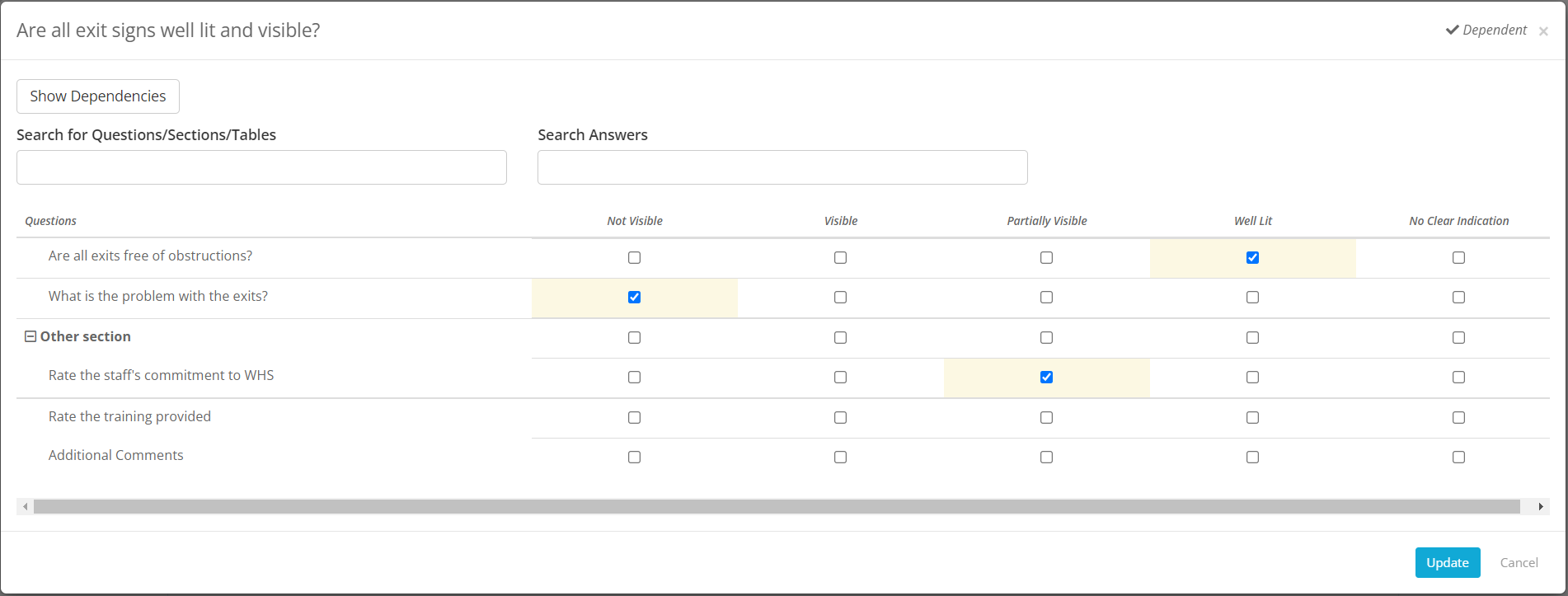
- You can also search for a particular Section, table or field Or a particular answer to make the dependency set up easier.
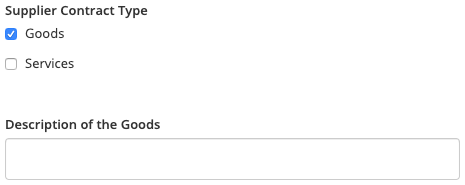
- Once the dependency is set then the dependent questions will only appear is the user selects the chosen answer:
 |
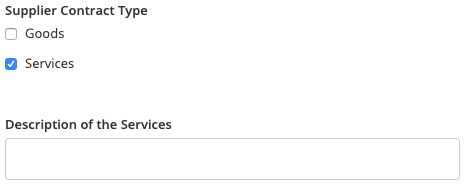 |
| If 'Goods' is selected, the Description of Goods fields appears. | If 'Services' is selected, the Description of Services Field appears. |

- Please Note: The Dependent Questions feature is not available if Questions have been set up in Tables.
View Dependency
Dependent questions/sections/tables:
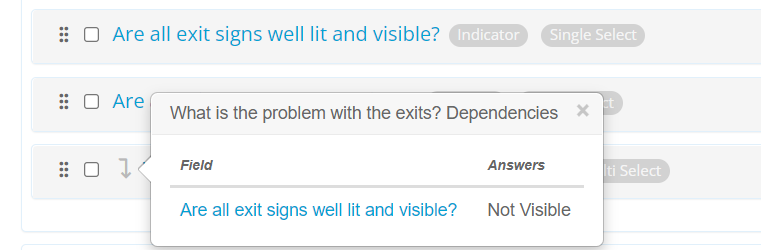
On the Show Questions Screen you will be able to see the down arrow on all dependent questions/sections/tables. You will be able to hover over the down arrow and it will open a popover showing the question and the answer/s the question/section/table is dependent on. For example in below screenshot the question What is the problem with the exits is dependent on Not Visible answer of question Are all exit signs well lit and visible:

Question on which dependency is setup:
If a question has answers with dependencies, the dependent button will alway display the number of sections/tables/questions that are dependent on that question. In below example there is 1 dependent question on Are all exit signs well lit and visible:

To view the existing dependencies, click on the Dependent button and then on the Show Dependencies button, it will filter the modal to only show you the questions/sections/tables and answers which have dependencies: