
There are certain Checklists or sometimes certain questions where it is not necessary to have Evidence or Comments associated with the question/s. Examples of this may be where you have a field for the name of a supplier or their organisation name.
You can disable checklist evidence and comments either on
- The Checklist as a whole; OR
- Only on particular questions in the Checklist.
Disabling Evidence and Comments on a Checklist as a whole
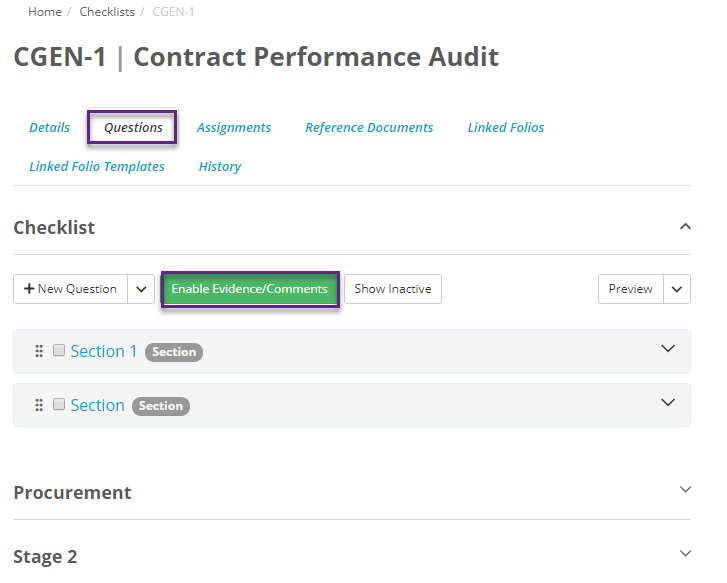
- Click on a Checklist
- Select Questions
- To enable Evidence and Comments on the Checklist as a whole click on the green button saying "Enable Evidence and Comments".
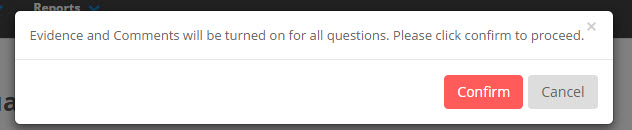
- Select Confirm on the pop up to proceed.
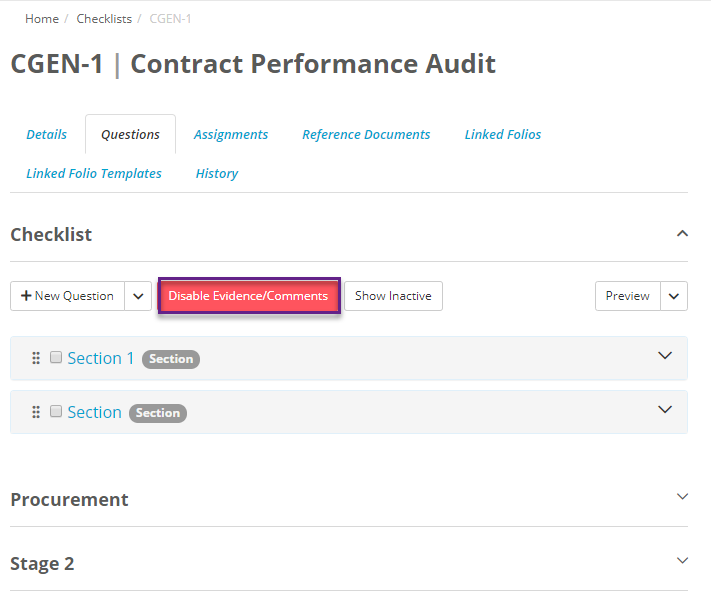
- To disable Evidence and Comments on the Checklists if they have been enabled previously, click on the red "Disable Evidence and Comments" button.
- Select Confirm on the pop up to proceed.
Disabling Evidence and Comments on particular Checklist
Assuming that Evidence and Comments have been enabled on the Checklist as a whole, you are able to either enable or disable evidence and comments on a question by question basis.
To do this, click on the ellipses on the right corner of the question card and then click on Evidence/Comments option to enable or disable:
