
Default View
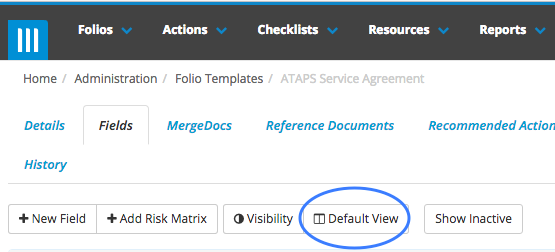
Default View is a new feature in Folio that enables administrators to set up default search screen columns for every Folio template.
Administrators can find default view in Admin > Folio Templates. Select the Template and go to the Fields tab.
Action and Checklist Completion Notifications
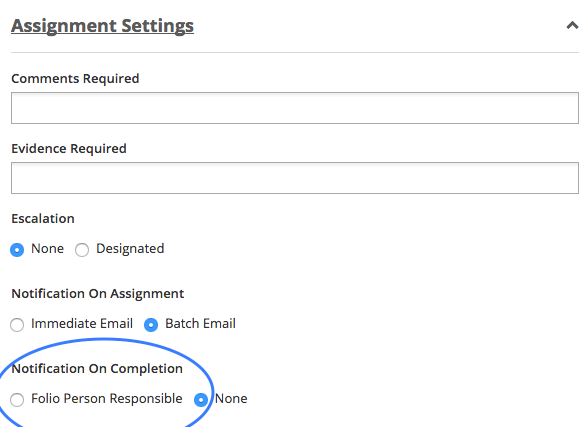
Folio now sends Action, Checklist and Checklist Review Stage Completion Notifications to the Persons Responsible for the Folio that the action or checklist is linked to. Click here for more information on how to set up completion notifications.
Checklist & Folio Template Previews
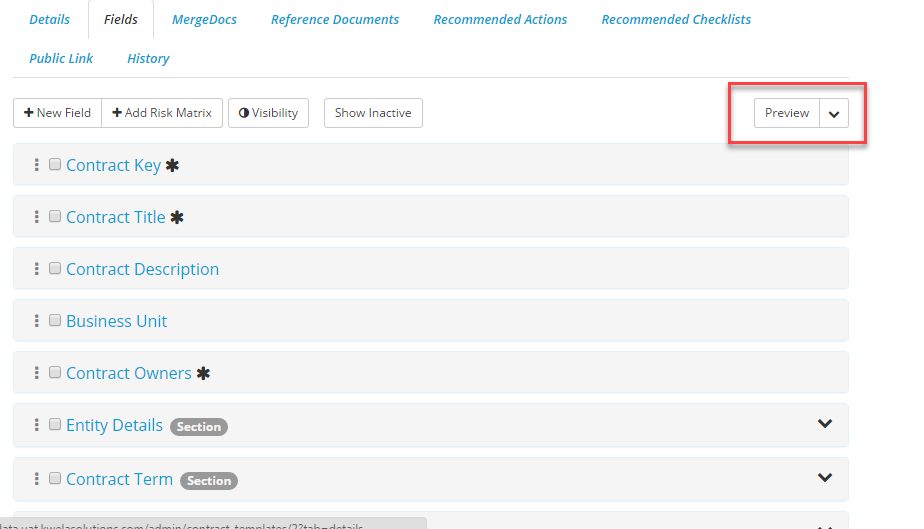
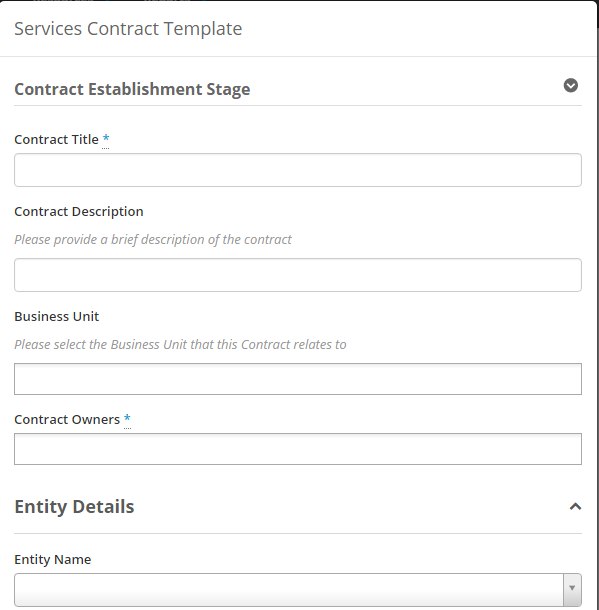
Folio now lets you preview what a user sees when they answer a checklist or view a Folio. You can see a preview using the preview button in the top-right of the Fields/Questions tab. Users may even print these previews to PDF if required.
Risk Snapshot
Folio now provides a Risk Snapshot on your Dashboard. The risk snapshot can be configured as per your requirements. Clicking on the number of risks will drill you down to the risks themselves.
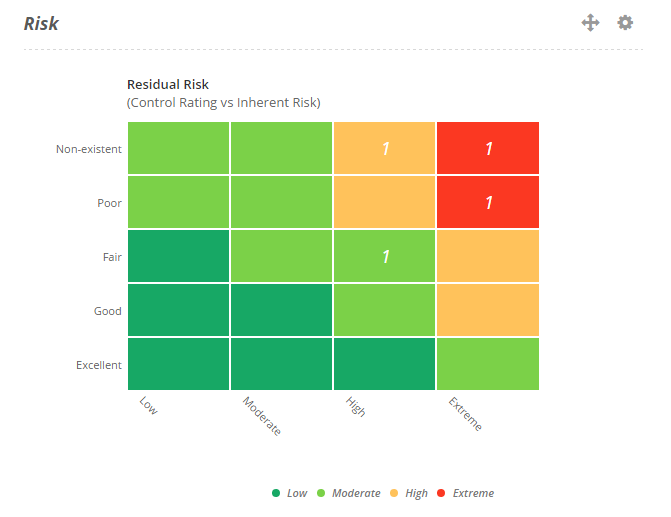
Click here for more information on how to use Risk Snapshot
MergeDoc PDF
When generating a mergedoc from a contract you can choose between creating a word document, or a PDF.
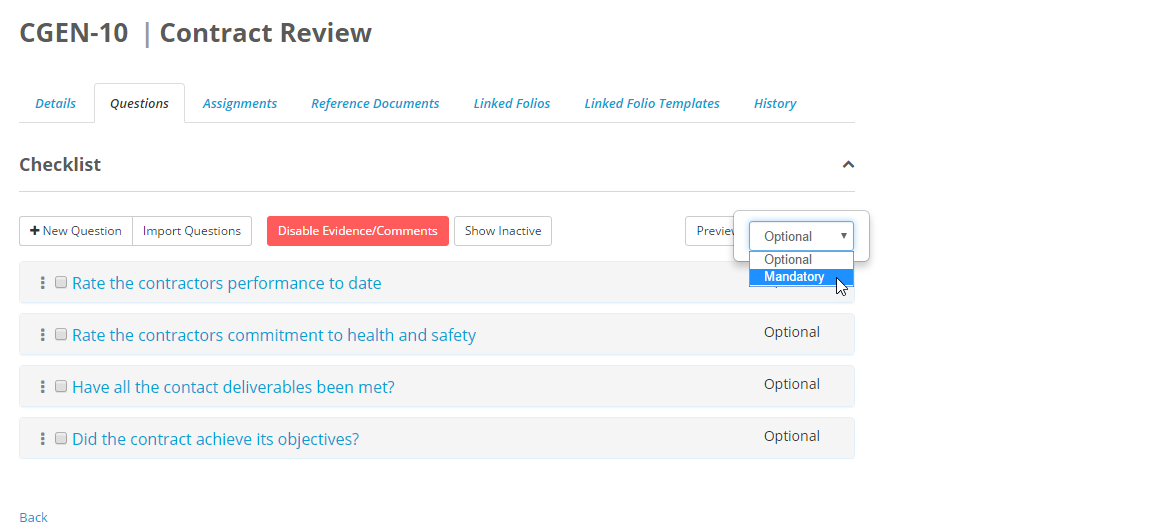
Mandatory Checklist Questions
Checklist can now have mandatory questions enforced. Click here for more information on how to do this.
Tables in checklists
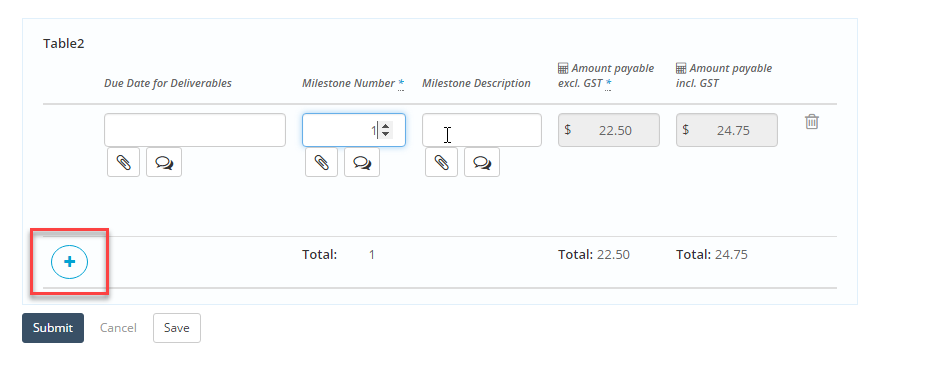
Checklists now have tables with repeating rows. When answering a checklist that has a table click on the blue + button to add another row for your answers. Click here for more information about how to set up tables for a checklist.
Checklist Action Results Report
This report is called Checklist Action Results and it enables users to report in the results of actions related to checklists.

Notify Public Link Submitter when Folio has been Closed
People who have submitted a Folio using a Public Link can now be informed when the Folio is closed. This can be especially useful if you are using Folio for complaints and incident reports and you want to keep the submitter in the loop regarding the final outcome. For information on how to set this up click here.
Business Unit and Users in Lookup fields
Lookup fields in a Folio or checklist have the added ability to pull data from the Business Unit and Users list.
Contact's details in Folio Register Report
Folio Register Report now includes full contact details of all contact people.
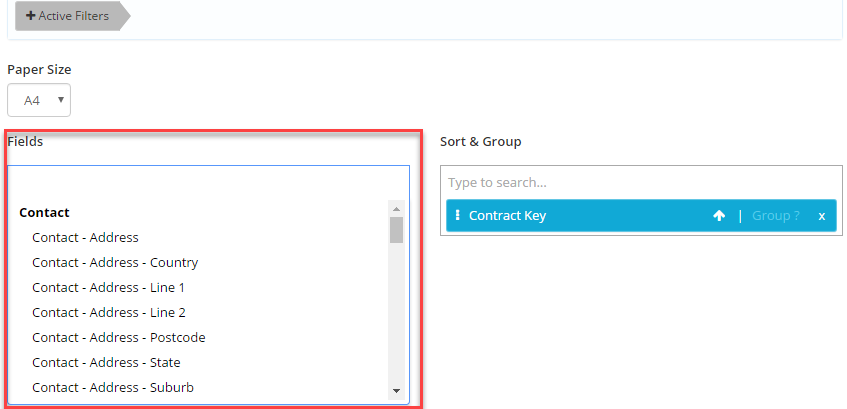
For more information on generating this Report, please click here.
Rich Action status pop-over
Action traffic lights now provide richer information for the end user. Status pop-overs are now displayed on mouseover or tap. These include a link to the result record. 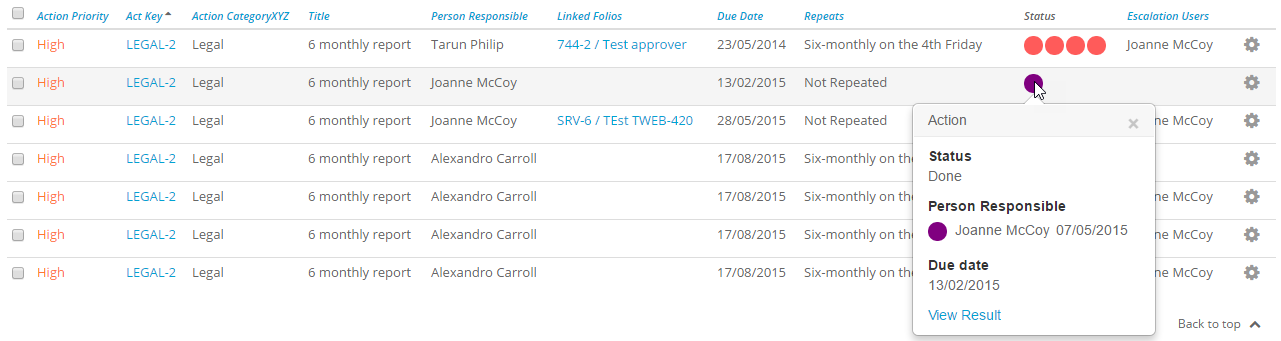
Improved Navigation
Moving between records in a Folio search has been improved through the addition of a Next and Previous button in the top right of the screen of whatever record you are currently viewing.
The Back to Search button will return your original search.

Copy Attachments option when copying a Folio
We had feedback from some users that when they copied a Folio they may want to copy all its attachments with it to create the new Folio.

.msg files previewed as emails
If you upload a .msg file to Folio, these files can now be previewed in Folio as emails.
Admin & Service Provider now included in Terminology
The Entity Type terms Admin and Service Provider are now included in Terminology and can be altered by the user.