
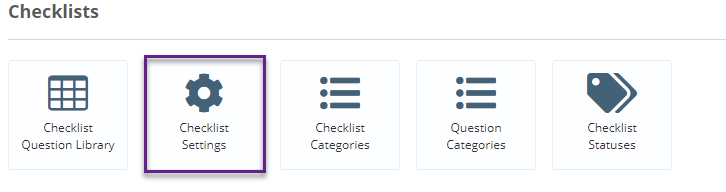
To change the default settings of all checklists first click on the Admin Gearwheel and select Checklist Settings.
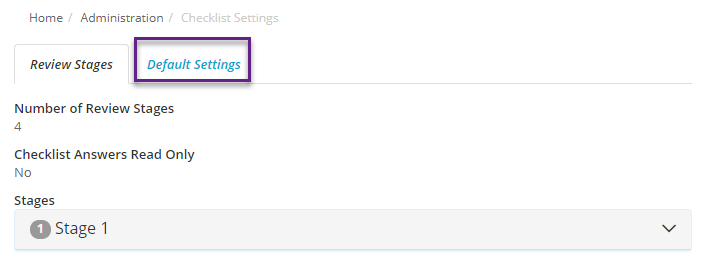
Then Select the Default Settings tab
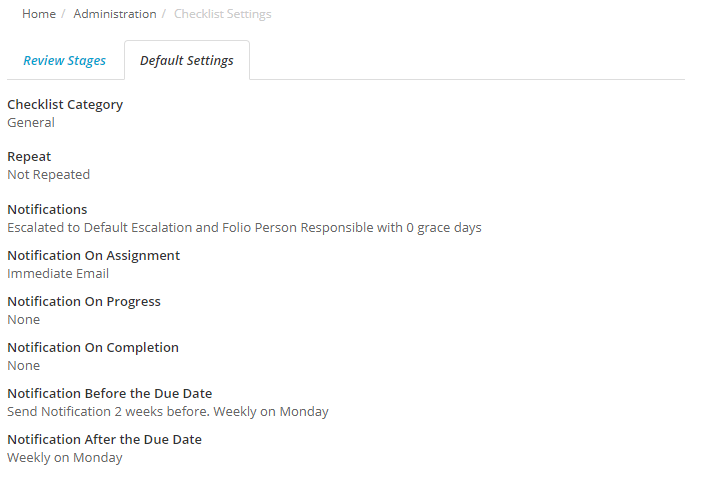
From here you can now change the default settings for all checklists. The key default settings that are useful for you to edit are -
- Notifications on Assignment (by default are should users be immediately informed on assignment or in a bulk email overnight);
- Notification Before the Due Date - how long before the Checklist is due should the user be reminded.
- Notification after Due Date - how often should the user be reminded for overdue checklists.
Please Note: Checklist Default setting only apply to new checklist assignments and do not apply retrospectively to existing assignments.