
Improved User Management
Folio administrators will love this feature. There is now one place to see all Folios, Action Assignments, Action Escalations, Checklist Assignments and Folio Approvals that have been assigned to a User. Replacing or Removing the user is now an easy process. Click here to read more.

Recommended Checklists
Just like Recommended Actions, you can now set up Recommended Checklists on Folio Templates.

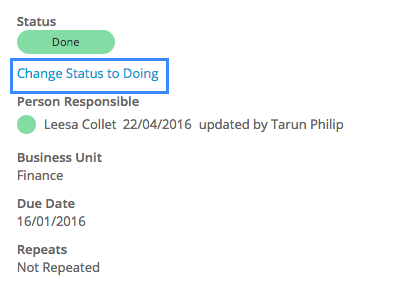
Changing Checklist Status from Done to Doing
Checklists that are marked as Done can now be reset to a Doing Status.
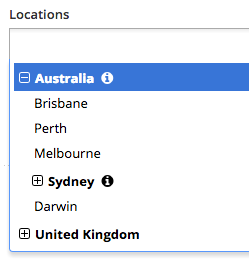
Ability to set up Locations in a Tree Structure
Folio now supports the ability for locations to include sub-locations.
Ability to modify columns on the Linked Folios pop-up
Previously, the columns on the linked Folios pop-up could not be modified. Folio now allows you to add up to 5 columns in the linked folios pop-up.

Welcome Emails
Folio now sends welcome emails to new users even if email notifications are turned off.
Action Update Notifications
If the person responsible updates an action themselves they will not receive an update notification regarding this action anymore. They will only receive update notifications if someone else updated the action.
Changes to Risk Classification
Some changes have been made to how the Risk Classification field appears to users. Risk Definition and Risk Impact related to risk classification are now displayed in a box. If either of these fields has no data in them they will not appear on screen.
New Confirmation Message displayed before Folios can be closed
User's closing Folios will now need to click 'Confirm' before a Folio is closed. This is to prevent Folio being closed inadvertently.