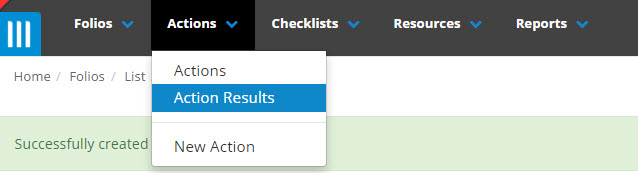
To view action results, click on the Action tab on the main menu bar and select Action Results
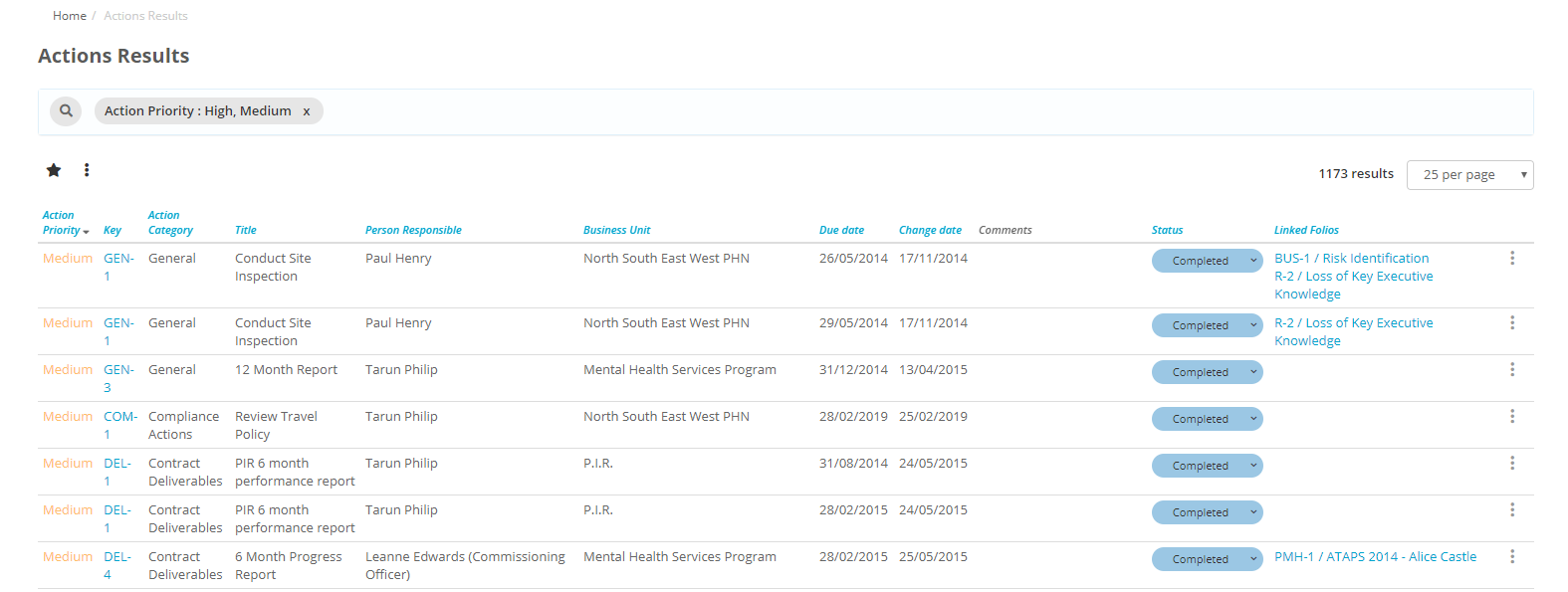
A full list of action results will be listed that you can filter to find the results that you are looking for.
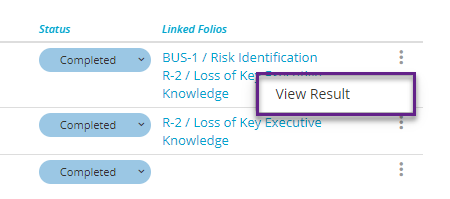
Select the action that you wish to view, click on the ellipsis and then select View Result. Alternatively, if you are responsible for the result or have the rights to edit the result on behalf of another user, you can click on the Status button and complete/update the result directly from this page.
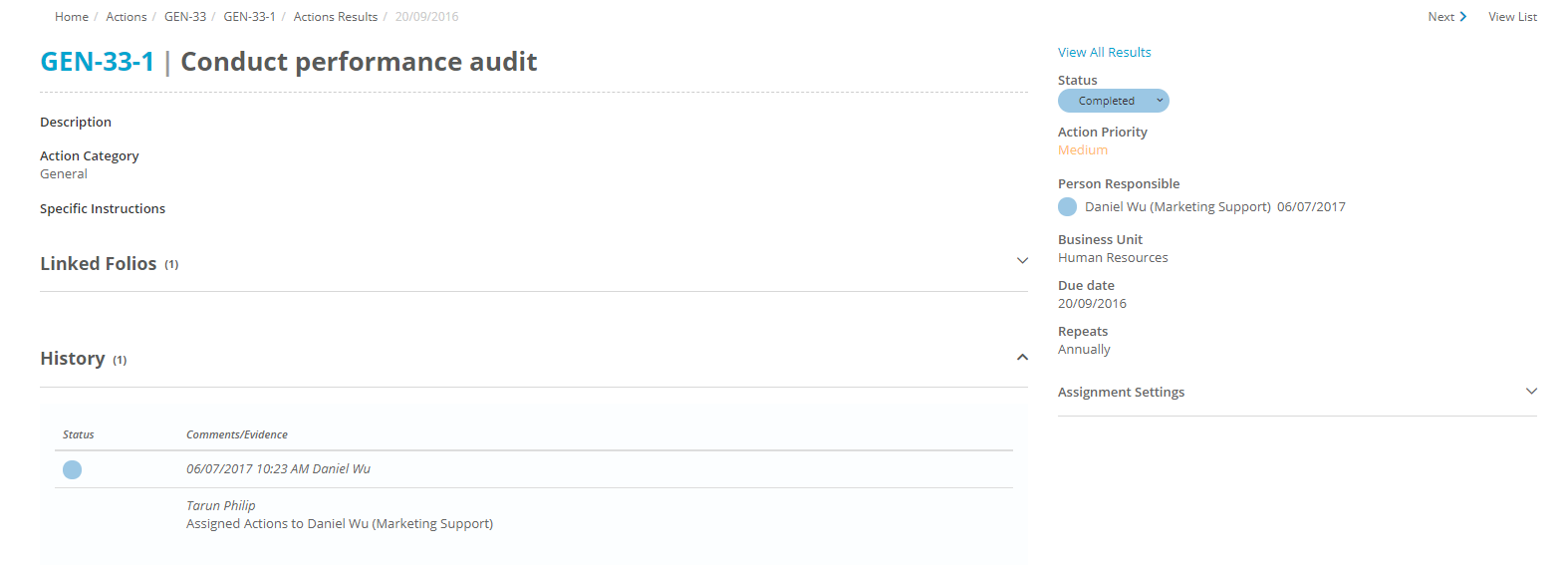
A full result will be listed. Again, if you are responsible for completion of this result or if you have the rights to complete the results on behalf of another user, you can change the status or add notes to the result.
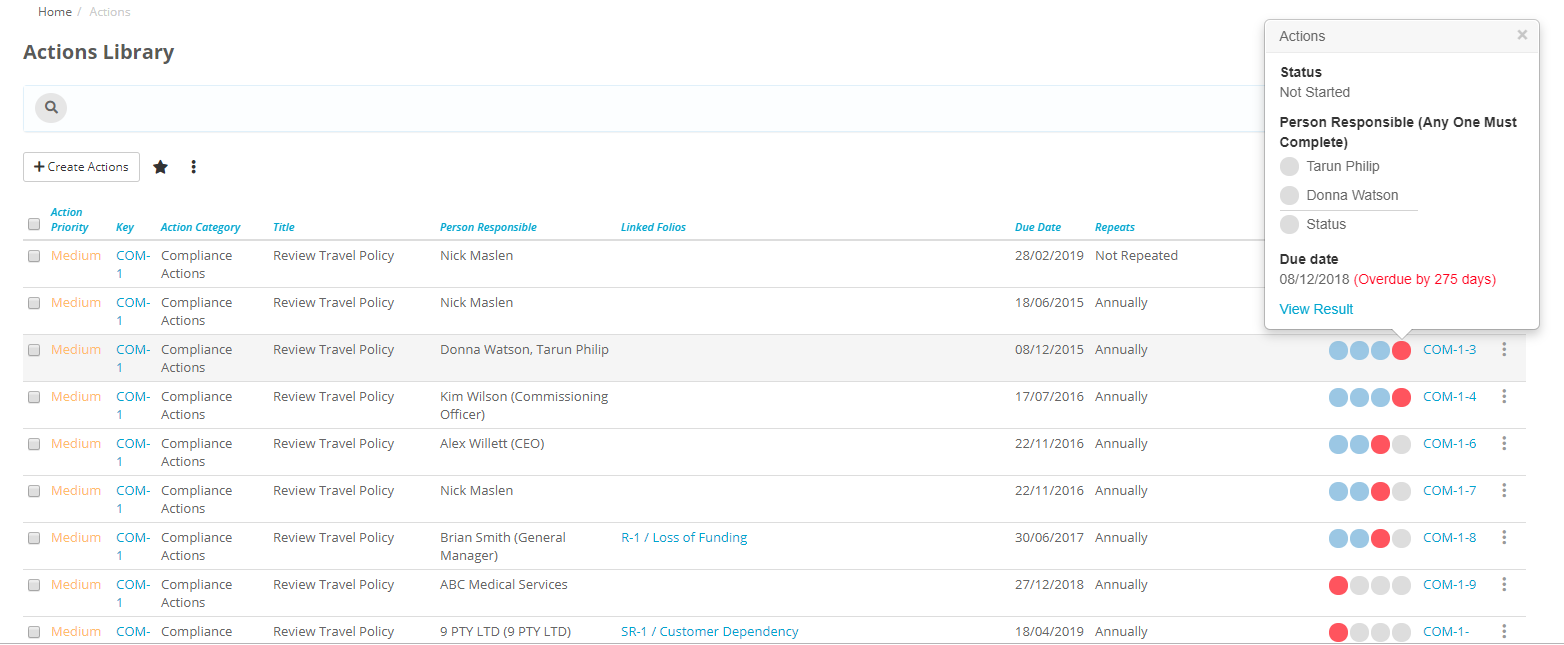
You can also reach the Results screen if you click on the Actions tab instead of Action Results at the top of the page. On this screen you can mouse over the status circles to make a popup appear that contains information about this action, and includes a View Result link.