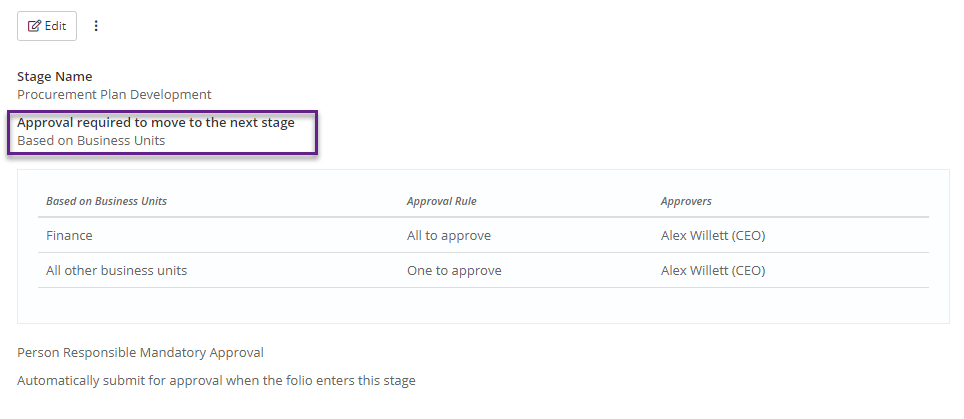
You can set up Folio (Contract, Incident or Risk) approvals by Business Unit. You can do this by following these steps:
- Go into Admin and select Folio Templates
- Click on the Template that you wish to set up the Business Unit Approvals on.
- Scroll down to details tab of the template till 'View Stages & Workflow' is visible and click on it to expand the stage to view Approval required to move to the next stage.
- Click on the edit button above the Stage Name on the right hand side
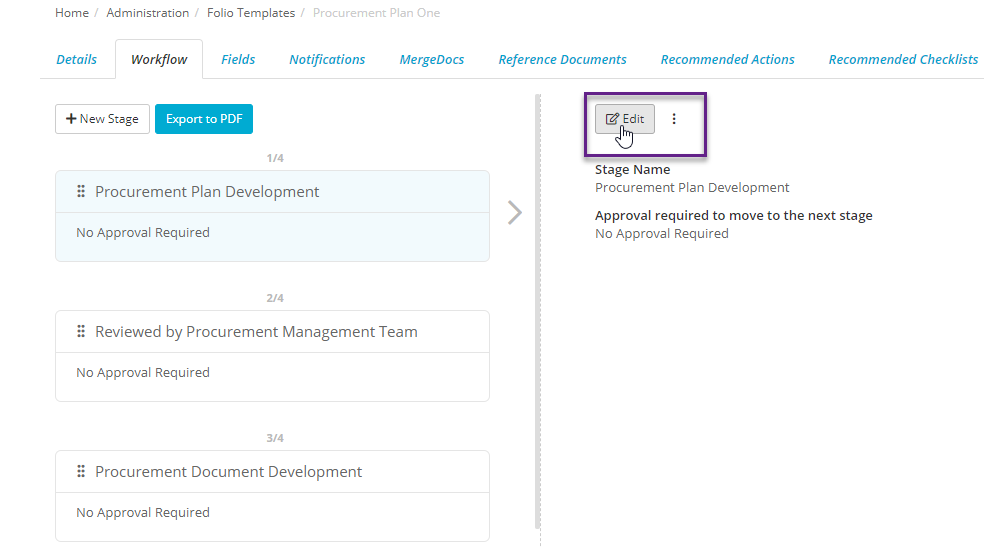
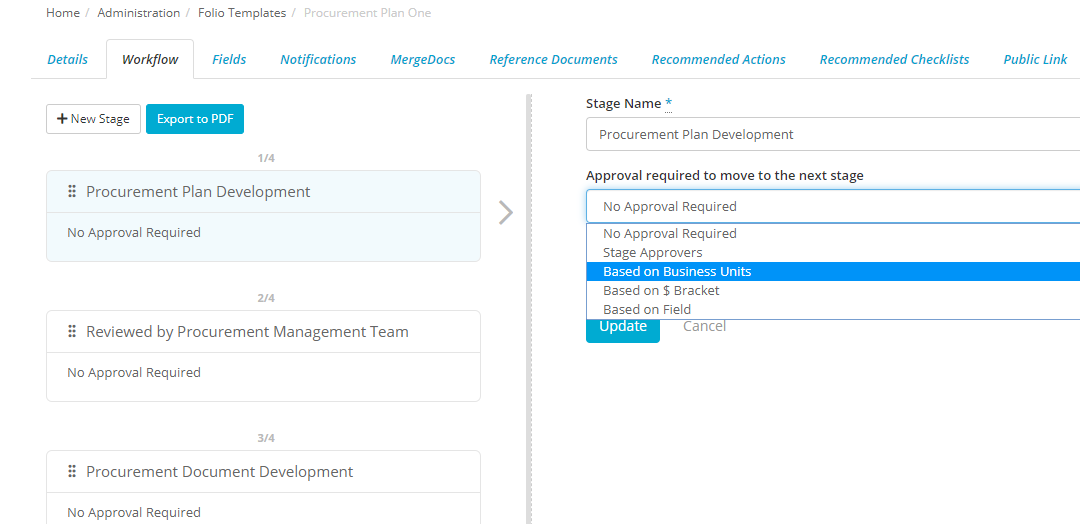
- This will reveal the stage name and the approvals required to move to the next stage. Select Based on Business Units option under approvals required to move to next stage
- Click on Business Units tab and select the Business Units that you wish to apply a particular approver on and choose the appropriate approval rule. Choose approval rule and approver for all other business units. Check the include sub business units box if required.
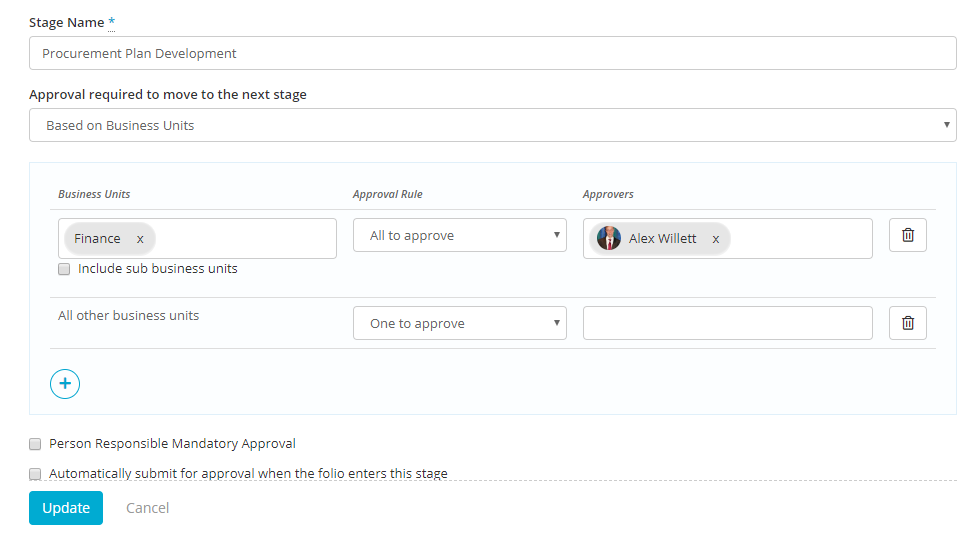
- To add another business unit, click on + icon
- Click on the update button to save. The approvals will now appear as below: