
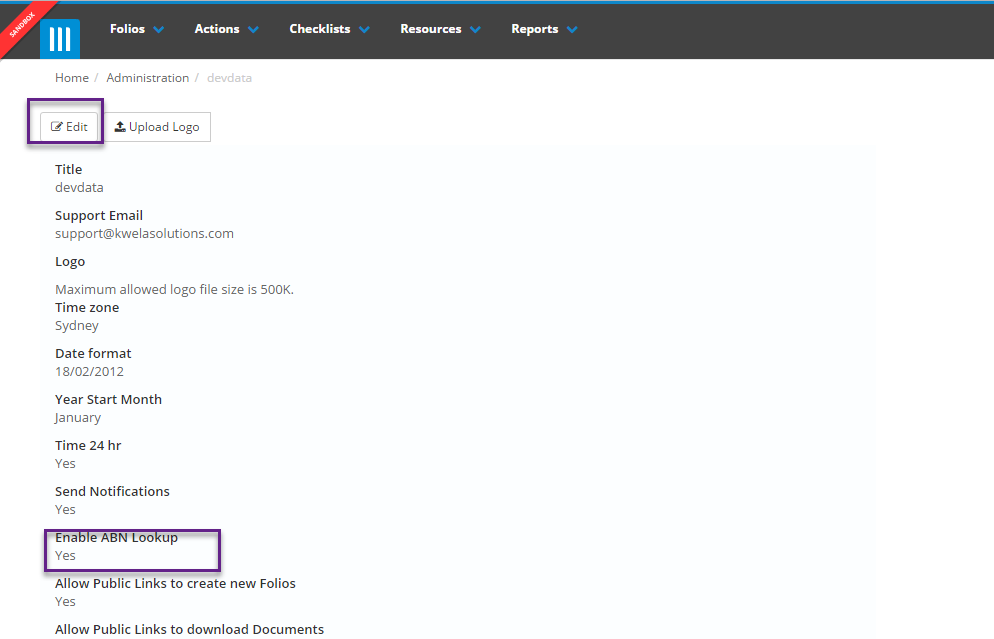
To use the ABN lookup feature it first needs to be turned on by an Administrator. They can do this by clicking on the admin gearwheel in the top right, then selecting Organisation. Here they will find a checkbox for turning the ABN lookup on or off, which they can access by selecting Edit:
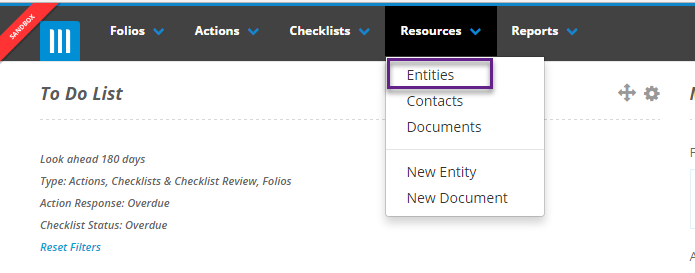
Once the ABN lookup feature has been turned on it can be used when creating a new entity or editing an existing one. To use the lookup go to the entities page by clicking on the Resources tab at the top of the screen and selecting Entities.
Next click Create Entity. On this page you will see a Name field that will prompt you to enter a Name or ABN:

When you enter data in this field it will match the data you've entered with the Australian Business Registry and give you any matching record(s):
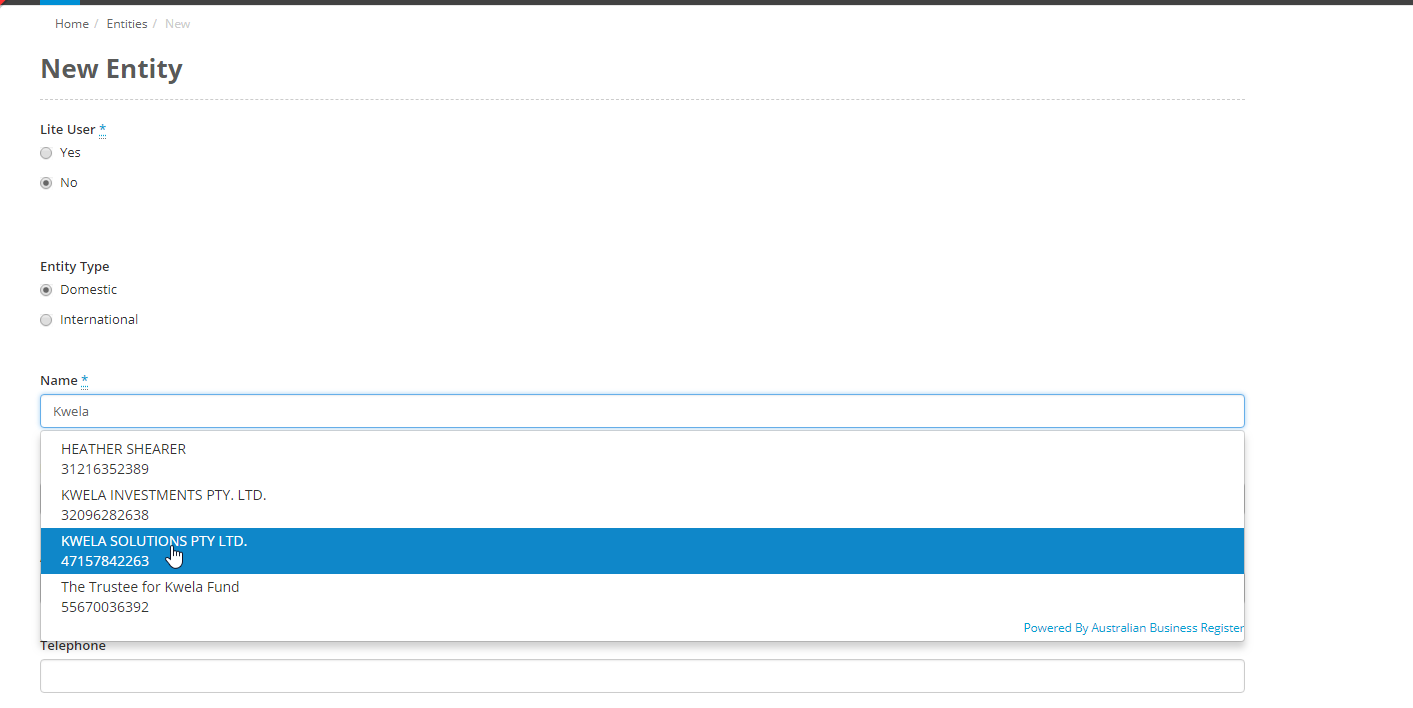
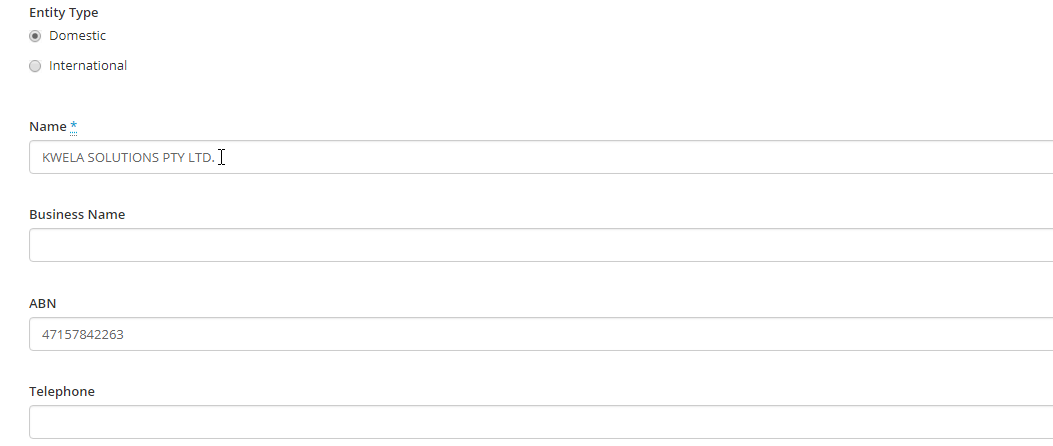
You can then select the business you want and the Name and ABN of the entity will be filled out automatically. You do not have to select a record here if you have ABN lookup turned on, and you can still edit both the Name and the ABN of the entity after selecting a matching record:
Once you have finished filling out the details for your entity click Create to finish.
If you want the use the ABN lookup feature for an existing entity if they have the wrong ABN first click on the entity you want, then on their Details tab select Edit:
Now follow the same steps for using ABN lookup as when creating a new entity.