
Note - In order to review the risk you need to be the Person Responsible for the Folio
To complete a risk review, either:
- Click on the link in the reminder email that you have received; or
- Click on Risk Review in your "To do" list; or
- Search for the risk and edit the Risk Assessment, once you have updated the risk, you will then be given the option of applying that to any outstanding Risk Reviews.
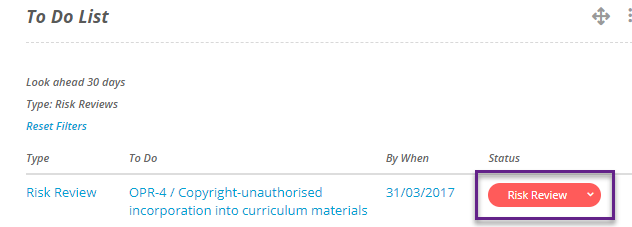
Risk Review in your To Do list

Updating Risk
- When you click on the Risk Review button you will be taken to an edit mode of the risk.
- Make any changes to the assessment or risk fields that you require. You do not need to make any changes if the information is still current but you must click on update.
- Once you have clicked on update, you will be asked whether you wish to apply the changes to outstanding risk reviews. Tick the risk reviews you would like to complete.
- You can make comments and click on Done. If you have edited the risk but you do not want this to be the risk review then click on Complete Review Later.
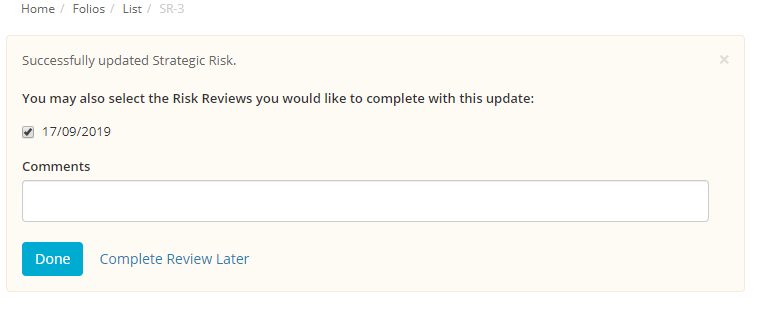
Completing the Risk Review