You can add fields to a report by taking the following actions:
- Select report that you want to edit
- If you are wanting to add fields that are only applicable to one or more Folio Template/s (and not on all templates), then add the Folio Template Filter and select only those Folio templates that contain those fields.

- A list of Fields will be displayed - these are default fields that will appear in the report.
- You can remove Fields by clicking on the X and add new fields (including custom fields) by clicking on the "Type to search" bottom box.
- When you click in the box all standard and custom fields not being used in the report will be displayed. To narrow down the list of fields, start to type in the name of the field that you wish to add.
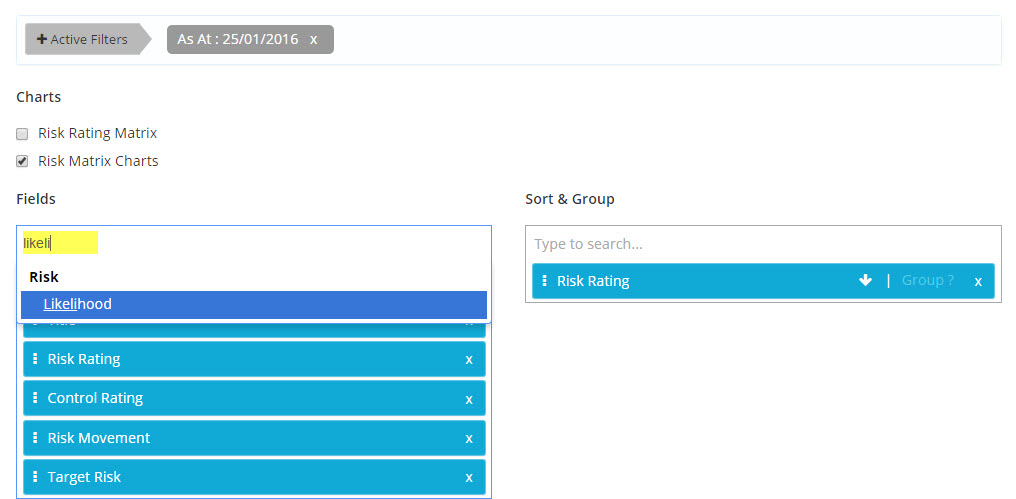
- Select the field that you want to add and it will be added to the fields displayed.
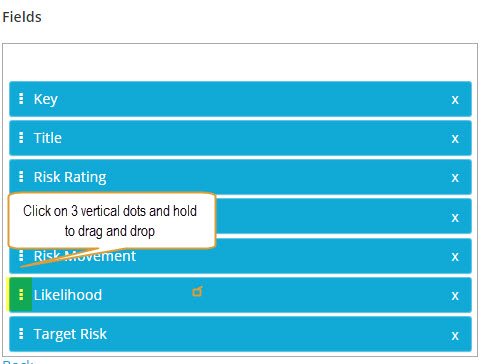
- Remember you can re-order the fields by clicking on the three dots on the side of the field name and dragging and dropping the field into the desired location.