
Completing a deliverables checklist is much the same as completing a normal checklist, and you can read this article for more information on getting to the checklist screen and answering the questions.
There are however a few things that deliverable checklists do differently. First of all questions can be broken down by program, location or a combination of both:
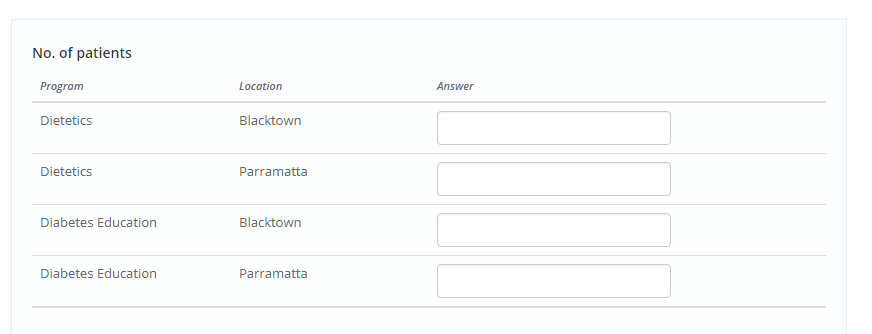
In these cases you will need to give an answer to each separate breakdown.
Second of all quantitative questions may have a target set against them:
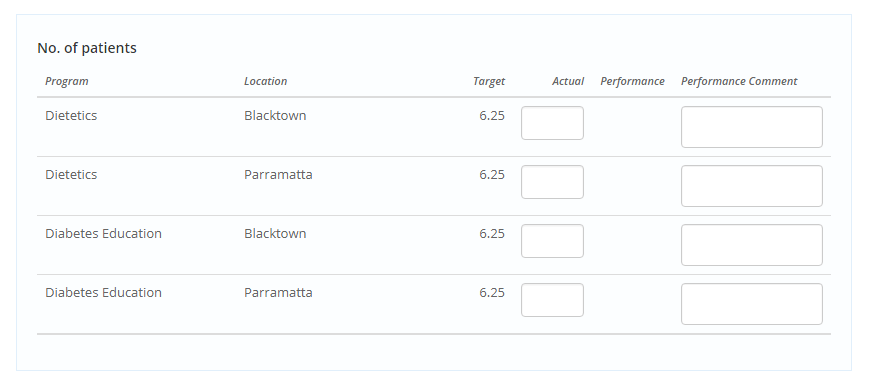
In these cases your answer goes in the Actual column, next to the Target for that breakdown(assuming there is one). When you have entered in the actual you will see a performance arrow appear that represents how your actual is performing against the target. You can hover over the arrow to get more information:
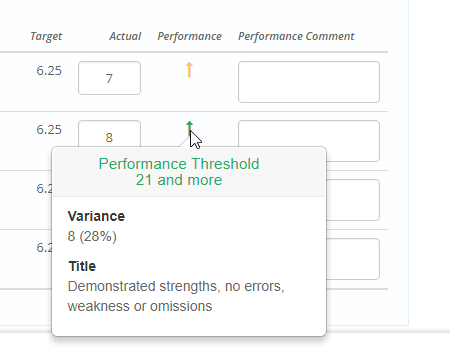
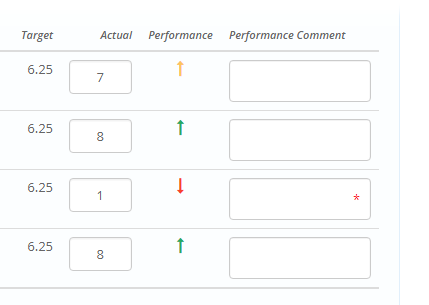
If you are overperforming the arrow will be pointing up and if you are underperforming the arrow will be pointing down. Additionally, if your performance falls into a certain performance bracket you may be required to provide a comment along that answer before you can submit. This will be indicated by a red asterix:
Other than this the deliverables checklist behaves the same so you can submit when you have answered all of the required questions.