
Entity Categories allow you to group the Entities in your system into categories that you set up. You can then use these categories to restrict what Entities users can see through their access right, or in lookup fields.
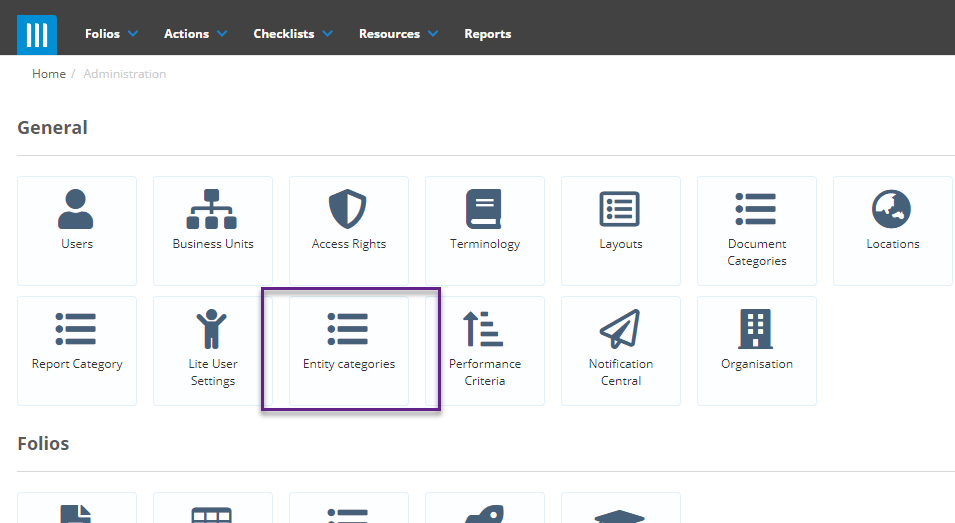
To create Entity Categories, click on the gearwheel in the top-right of the screen to go to the admin screen, then select Entity Categories:
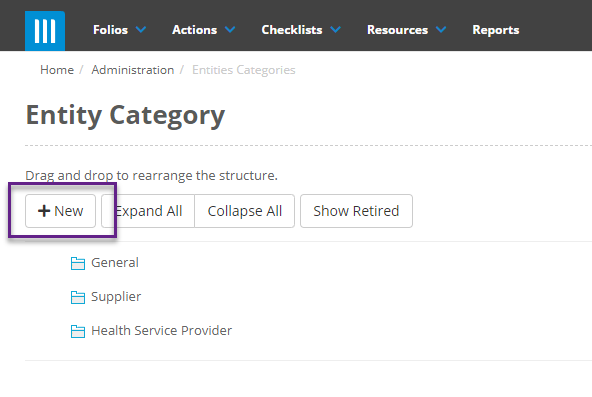
Here you will see a list of the Entity Categories in your system. To create a new one click on +New:
A popup will appear where you can give the category a name and a parent if one is needed. Entity Categories follow a hierarchical structure the same as Business Units:
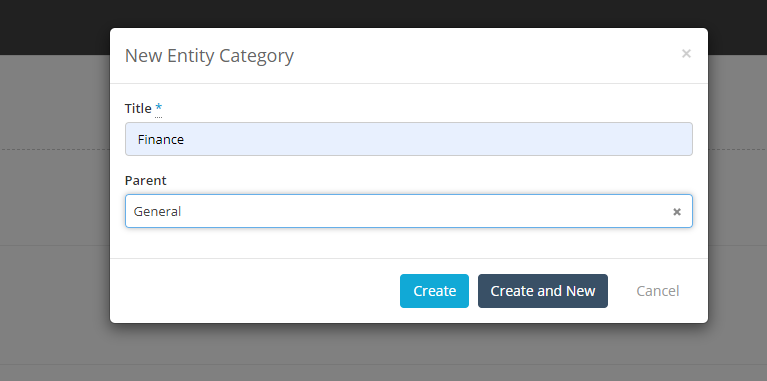
Then hit Create, or Create and New if you want to keep making categories. You can rearrange the categories in your system by clicking on them, then selecting the drag handle and moving the category where you want it:
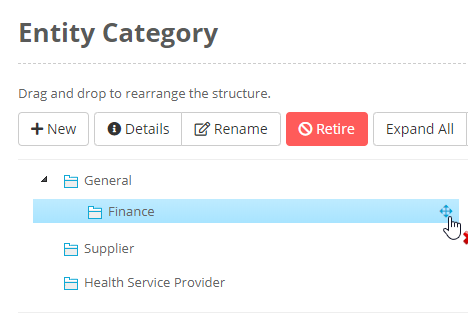
Clicking on a category also gives you the option to Rename or Retire the category.
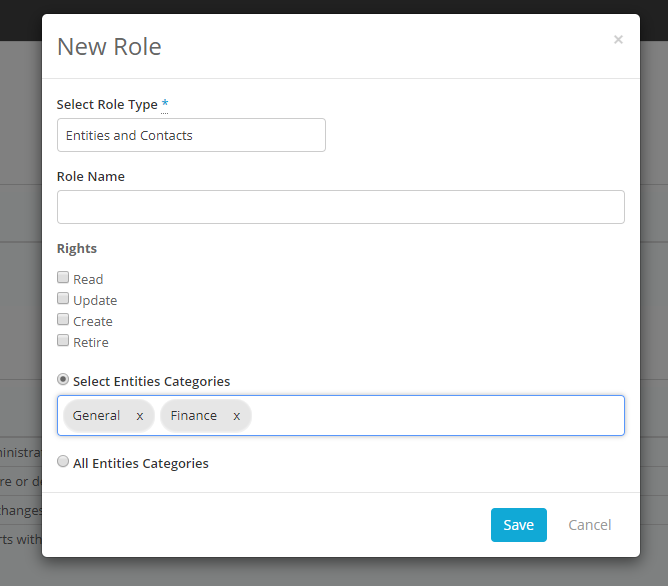
Once you have the categories set up you can restrict the Entities that a user see through their Access Rights by creating a Custom Role:
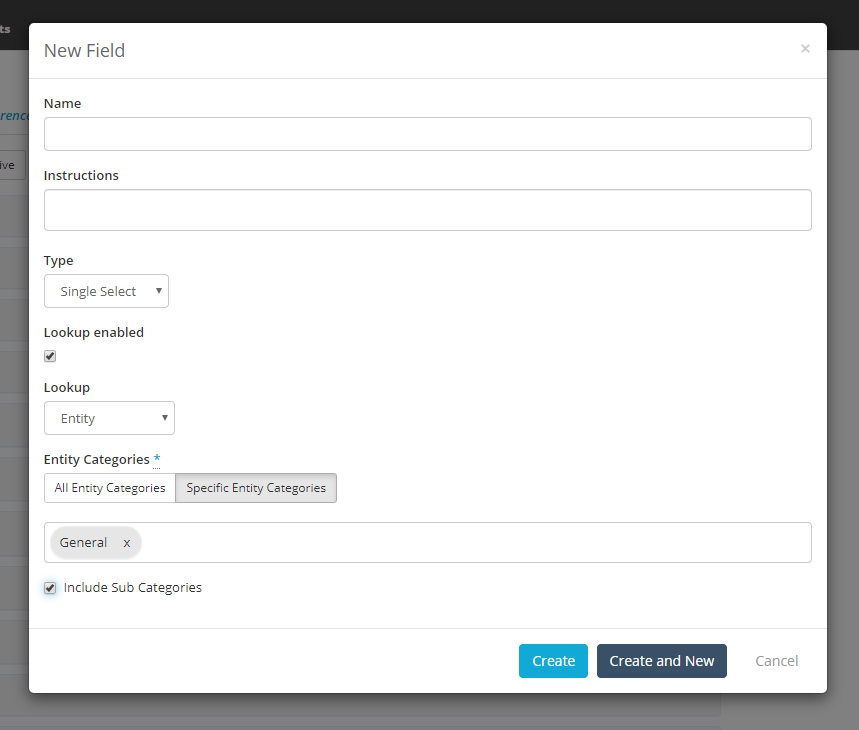
When creating a lookup field that looks up the Entity database you can also restrict the Entities that this field will show:
You can also make fields on the Entity Layouts dependant on the Category selected:
