
The Entity and Contact Preview Cards are used to give information about an Entity or Contact selected on a Folio with a single click.
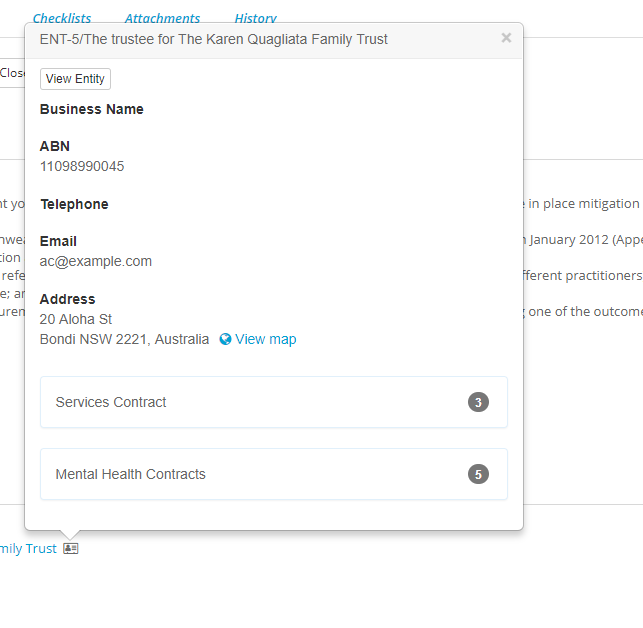
You will also see the Preview Cards on the Dropdown list
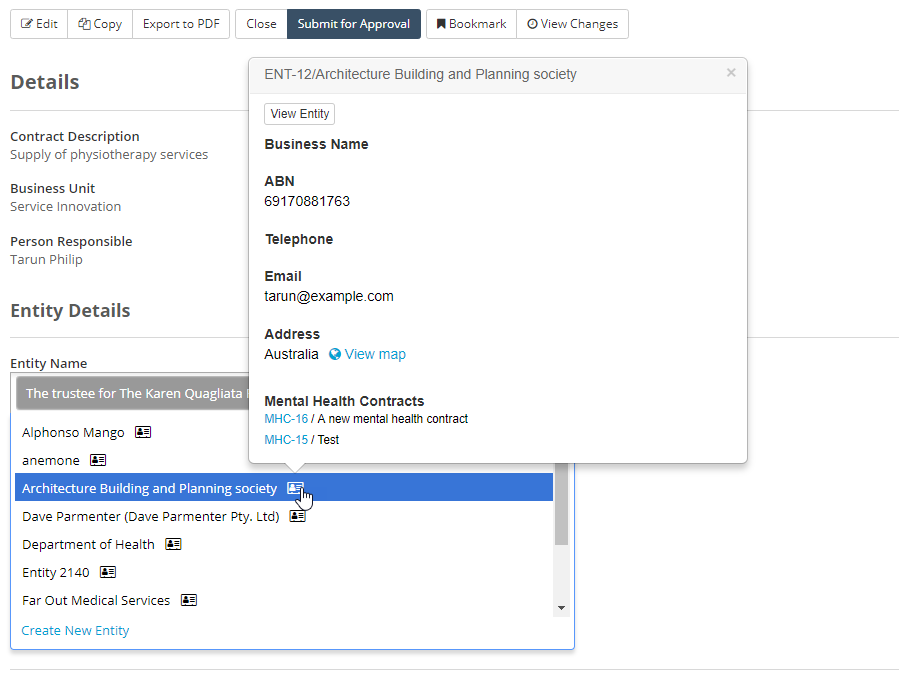
Users will see the fields information on the card even if they do not have access to the Entity or Contact - However a user with View Rights to the Entity or Contact can view the Entity or Contact directly from the card.
Setting up the Card
The Card is able to show 5 fields, you can select which fields you would like to show on the Entity or Contact Cards from the Layouts section.
First go to Layouts in the admin section of folio
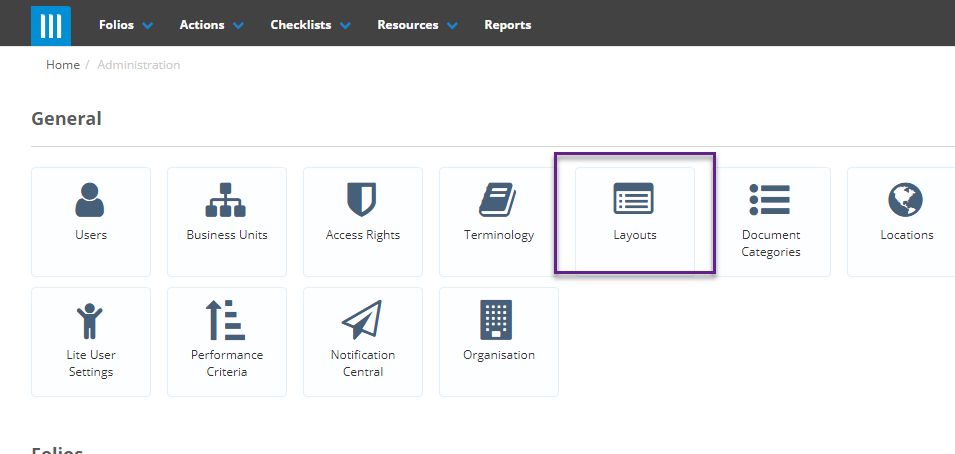
Then select Entity or Contact.
You will then see all of the fields setup for Entities/Contacts - The fields on the Preview Cards have an eye icon on the field
Screenshot of Layout showing the Eyes on some fields.
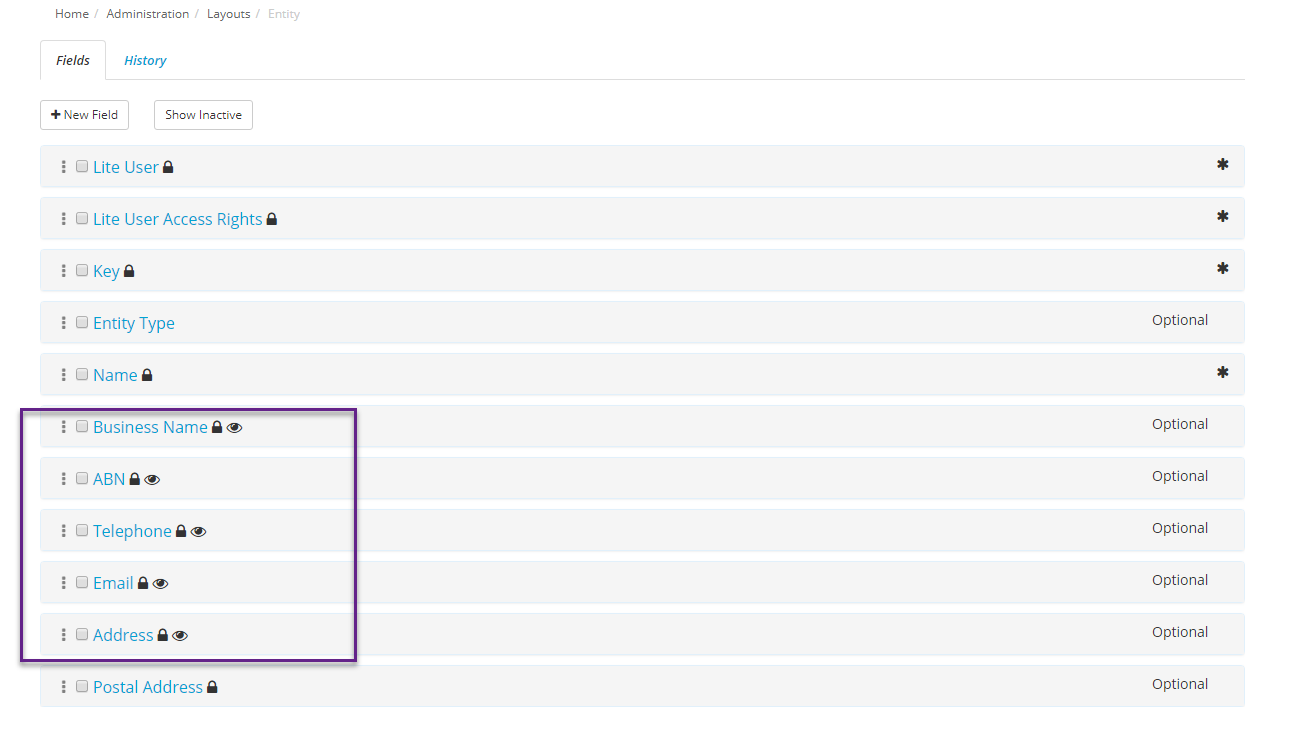
To change the fields that appear on the Preview cards tick the checkbox on the fields you want to add or remove and click Toggle Preview
Note: The Preview Card can only have a maximum of 5 fields at a time.
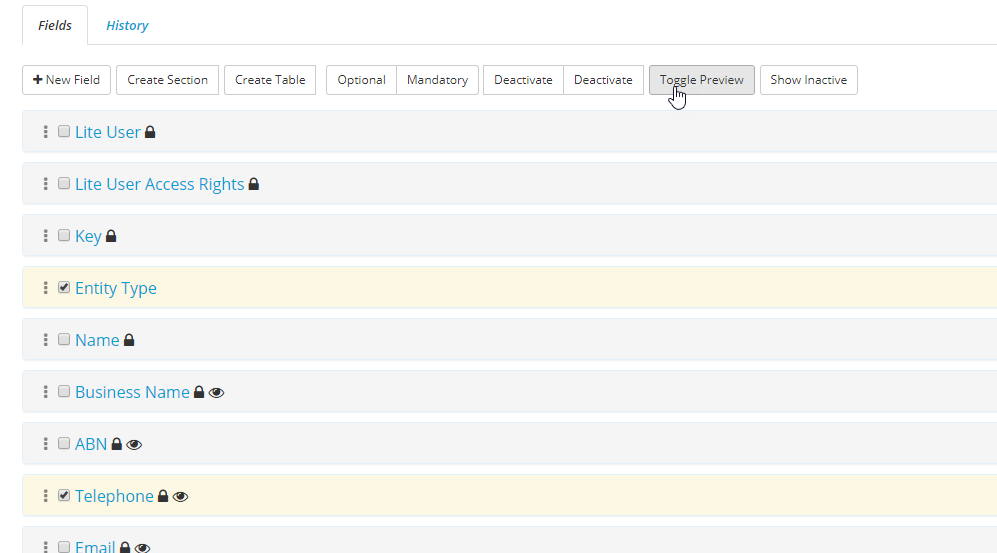
If you Toggle the preview to a field that wasn't on the Card it will be added to the card, and if you toggle the preview to a field that was on the card it will be removed from the card.